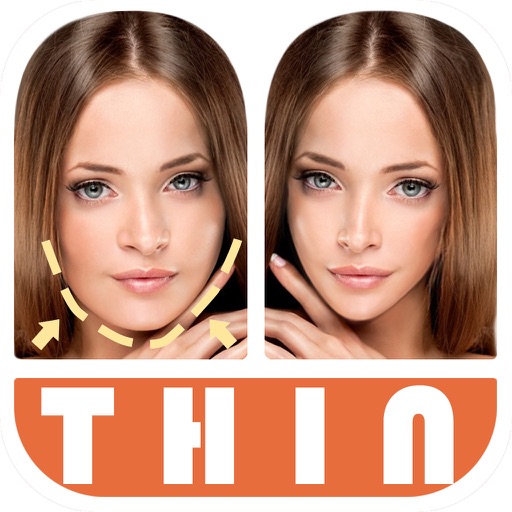
Apps Like Thin Camera - Insta Face Makeup Slim Skinny Photo for iPhone and iPad
Edit photos with and body slimming tools
Edit photos by automatically detecting faces and adjusting body shape in four modes: , head, body, and manual. Apply changes to photos from the or library and share the edited images.
by 宁 桂★ 4.6304 ratingsUtilitiesFreeData updated 2026-09-10
Edit photos with shaping tools to waistlines, enhance curves, and adjust leg length. faces by smoothing skin, whitening teeth, and removing blemishes. Adjust height and refine proportions for realistic results.
Edit photos by cutting and pasting faces, removing backgrounds, and deleting unwanted people. Add missing faces to photos. Use the silhouette head tool to select and edit elements. Export edited images directly.
Edit photos by reshaping parts like waist, hips, and arms. Add muscle definition to specific areas. Smooth skin and adjust facial features. Save and share edited images directly.
Edit photos with reshaping tools to adjust waist, hips, legs, and arms. Retouch skin and add curves or tone muscles. Save and share edited images directly.
Edit photos to slim the waist, shape the butt, tone arms, adjust thighs, increase bust size, and enhance skin tone. Remove blemishes and refine skin texture. Access in- tutorials for guidance. Export edited images in various formats.
Edit photos with reshaping tools to adjust waistline, legs, facial features, and skin. Remove unwanted objects and retouch skin. Customize multiple parts in one image. Share edited photos directly.
Edit photos with transformation tools including shape adjustments, size changes, and style enhancements. Refine facial features by smoothing skin, brightening tone, removing dark circles, and adjusting contours.
Edit photos with finger-tracing and mosaic effects. Apply multiple layers of and mosaic styles. Crop processed images to custom sizes. Export edited photos in various formats.
Smart Face Enhancement allows users to adjust facial features, smooth skin, and refine contours. Full-Body Adjustments let users modify body proportions and enhance details. Creative Filters and Stickers add visual effects and text.
Identifies and removes duplicate photos, low-quality images, and blurred screenshots. Automatically frees up storage space by deleting unwanted files. Uses machine learning, face detection, and neural networks for accurate analysis.
Edit photos with a variety of high-quality frames to enhance visual appeal. Apply filters to adjust colors and create personalized looks. Share edited images directly to Instagram.
Edit photos using filters, adjustments, effects, blur, focus, and rotation. Add text, stickers, and emoticons. Crop, resize, and apply tone curves. Draw and add splashes for creative touches. Save and share edited photos to social media.
Lens Buddy Selfie Timer Photo Video Filter Camera LLC
Capture photos on your own schedule
Take photos automatically using a set time interval between shots. No need to press buttons or hold the device. Capture -portraits and group photos. Edit and share images directly from the . Sync with social media platforms.
Convert selfies into biometric -size photos compliant with , ID, visa, Green Card, student card, and driver's license requirements. Automatically adjust photos for size, background, and lighting.
Edit photos by removing objects with a magic eraser and auto-cutout tools. Adjust colors, apply filters, and enhance details. Save and share edited images directly.
Edit photos with PIP frames, collages, and creative layouts. Add crystal bottle patterns and cartoon styles. Share edited photos directly to social media. Adjust brightness, contrast, and colors. Crop and rotate images.
Take portrait selfies with front and rear camera switching via tap or shake. Use night mode for low-light shots. Auto mirror and timer functions available. Create grid collages with 1:1 and 4:3 layouts using 1 to 9 grids.
Create and edit using AI-generated text prompts or by converting videos and photos. Swap faces in images and share on social platforms like Instagram and Facebook. Access a library of trending and .
Edit photos by flipping, rotating, cropping, and applying filters. Use AI to suggest optimal filters. Flip images live during camera use. Batch edit multiple photos and save directly to the library.