Create artistic images with single-tap camera effects and professionally designed filters. Adjust brightness, contrast, and tone curve. Blur and focus images. Rotate, crop, and resize photos. Add text and fun stickers.
Upload full-size photos to social media without cropping. Adjust aspect ratios to match platform requirements. Preview and finalize images before sharing. Avoid cutting out parts of group photos. Save and share original quality images directly.
Resize and compress photos with batch processing support. Convert between JPEG, HEIC, PNG, WebP, TIFF, and AVIF formats. Remove location data and EXIF information. Adjust image quality and resolution.
The app allows users to create collages for iPhone or iPod Touch wallpaper using a multitouch interface. It offers creative options such as a black-and-white or sepia converter, border addition, and transparency adjustment.
Create gallery-style portraits from images using automatic painting tools. Add color, light, and texture for realistic effects. Choose between classic-style brushes or modern-colored options. Save and share finished artworks.
The app allows users to post entire photos on Instagram without cropping. It offers a colorful background option and direct sharing to Instagram, Facebook, and X.
Edit photos with crop, rotate, exposure, color, sharpness, and resize tools. Create grid collages and edit individual images. Access presets, clone tool, and fine curve adjustments for detailed edits. Export and share edited photos directly.
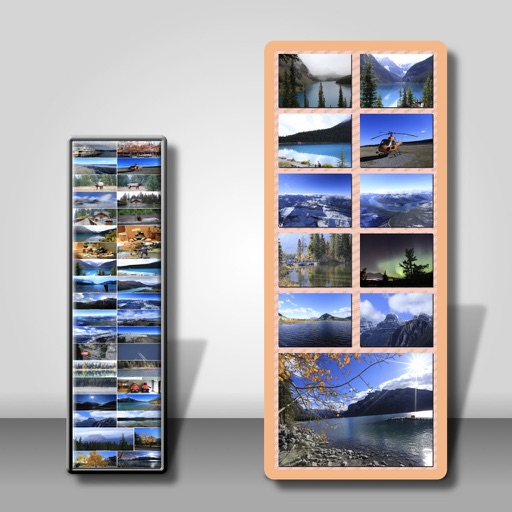
Multiple screenshots together to create a single long image. Select and arrange manually or let the auto- them seamlessly. Export the merged image for sharing or saving.
Photos to reduce file size without quality loss. Resize images for social media, email, or web. Crop photos to adjust framing. Save and share optimized images directly.
Create digital collages using images from your photo library. Crop and remove solid backgrounds from photos. Rotate, resize, and reposition images. Adjust background size and tint. Experiment with creative arrangements for digital art.
Resize images to custom sizes with pixel, millimeter, centimeter, or inch units. Maintain aspect ratio by linking width and height fields. Save, email, print, or share edited images. No ads or in- purchases.
Edit stereoscopic images with auto-alignment and manual adjustment of L/R positions. Import L/R independent, SBS, MPO, or spatial photos. Display in SBS, mirror, 2D, anaglyph, or wiggle modes.
And compress multiple photos at once to free up storage. Print photos at actual size with inch, cm, or mm measurements. Rotate, flip, and crop multiple photos simultaneously. Convert photos to JPEG, PNG, or HEIC formats and share them directly.