Apps Like Splash Effect Photo Editor App for iPhone and iPad
Edit photos with color
Edit photos with color effects, convert images to grayscale or apply custom colors. Adjust hue, saturation, contrast, and sepia tones. Save and share edited images directly.
by wilson sonkamble★ 0.00 ratingsPhoto & VideoFreeData updated 2026-09-11
Edit photos with crop, rotate, and filter tools. Adjust brightness, contrast, and color. Add text, stickers, and draw on images. Apply blur, focus, and special effects like magic and splash. Export and share edited photos.
Edit photos with layers, filters, and brushes. Adjust brightness, contrast, and color. Add text and stickers. Export in multiple formats and share directly.
Edit photos with 60+ presets and filters including film-inspired tones, vintage looks, moody edits, and retro grain. Apply filters live during photo capture. Export edited images in various formats and share directly.
Photos with clipping tools to remove backgrounds, apply predefined effects like glitch and duotone, and enhance images with magazine-level touch-ups. Add text, stickers, and unlimited undo/redo features.
The app provides tools for image adjustments like saturation and contrast. It offers light leaks, emulsion, grain, and scratch effects to mimic vintage cameras.
The app allows users to post entire photos on Instagram without cropping. It offers a colorful background option and direct sharing to Instagram, Facebook, and X.
With Hi-Def, Scenery, Food, Portrait, and Night modes. Apply over 100 free and purchasable filters. Add stickers, frames, and overlays. Remove red eye and blemishes. Whiten teeth and adjust color with Splash. Enhance sharpness and draw or add text.
Edit photos with , cropping, and adjustment tools. Add text, stickers, and effects. Export in multiple formats and share directly. Supports videos, Live Photos, and works across iOS and Mac devices.
Edit photos and videos with one-tap presets or filters. Adjust details using retouch tools, object removal, background blur, and precise editing. Export edited content in various formats. Share directly from the .
Edit images to remove backgrounds using AI. Cut out objects and replace them with new backgrounds. Adjust edges for smooth transitions. Share edited images directly.
Enhance photos with brightness, contrast, and saturation adjustments. Apply , add stickers, frames, and splash. Crop, rotate, flip, and remove red eye. Draw and paint on images. Add text with multiple fonts. Tilt shift and focus available.
Create customized monogrammed with selectable backgrounds and text. Add unlimited text elements and apply filters for color, brightness, contrast, and saturation. Adjust hue and add effects like vignette. Include design elements and stickers.
Edit photos with filters, cropping, and brightness adjustments. Add text, stickers, and drawings. Remove blemishes and whiten smiles. Create collages with multiple layout options. Export in various formats and share directly.
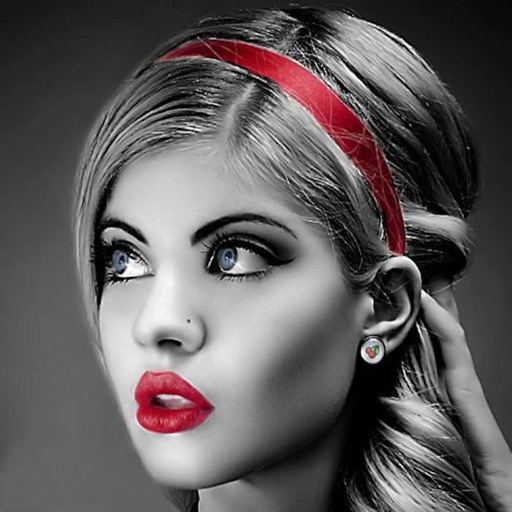
Edit photos with selective effects using gesture controls. Zoom and pan to adjust splash areas. Convert parts of the image to grayscale while keeping selected regions in full . Export edited photos directly.
Edit photos with 25 tools and effects. Adjust brightness, contrast, and saturation. Save progress and undo changes. Share edited photos to social networks. Preserve EXIF data and edit geo-location. Export high-resolution images up to 3000x3000.