Apps Like Splash Effect Photo Editor App for iPhone and iPad
Edit photos with color
Edit photos with color effects, convert images to grayscale or apply custom colors. Adjust hue, saturation, contrast, and sepia tones. Save and share edited images directly.
by wilson sonkamble★ 0.00 ratingsPhoto & VideoFreeData updated 2026-09-11
Create photo collages and video slideshows with customizable layouts, colors, and patterns. Add text, filters, and music. Edit photos with object removal, skin softening, and blur effects. Include stickers, outlines, and background adjustments.
Capture photos with real-time grid lines and flash settings. Use one-touch beautification for selfies. Access weekly updated filters and collages. Add stickers and create collages. Share edited photos directly.
Filters, adjustments, and effects. Apply blur, focus, and rotation. Add stickers, text, and on images. Crop, resize, and enhance . Remove blemishes and whiten smiles. Save or share edited images.
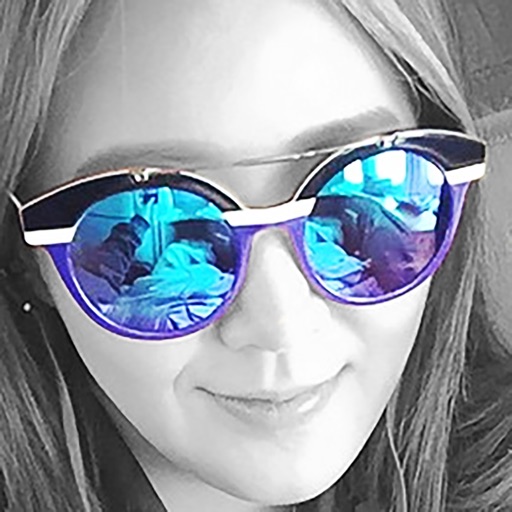
Convert photos to grayscale and selectively specific areas using finger touch or custom colors. Draw with zoom and rotation for precision. Use a magnifier for detailed work. Undo mistakes or redraw in grayscale. Export edited images.
Edit videos with trimming, merging, and speed adjustment tools. Add smooth transitions and text overlays. Export in various formats and share directly from the .
Edit photos and videos with high-quality filters and customizable presets. Create and save custom presets. Use full-screen editing mode. Access intuitive tools for creative adjustments. Share edited content directly.
Edit photos with healing, brush, structure, HDR, and perspective tools. Open JPG and RAW files. Save custom styles for reuse. Apply selective filters with precise control. Adjust settings non-destructively and export as JPG.
Edit photos with AI muscle enhancement, retouching, and makeup filters. Adjust shape, add height or muscles, and change hairstyles. Swap faces using AI, remove objects, and apply beauty enhancements. Export and share edited images directly.
Edit photos with -themed and creative effects. Choose from gallery or camera sources. Apply enhancements for realistic visuals. Share edited photos directly.
Edit photos using like Linear, Vignette, and Sepia. Adjust brightness, contrast, and color with tone curve tools. Apply blur, focus, and rotation. Add stickers, text, and emoticons. Crop and resize images.
Create artistic images by masking subjects and separating them from backgrounds. Apply filters to subjects or backgrounds for dramatic effects. Adjust styles and textures to enhance visual impact. Share edited photos directly from the .
Edit photos by applying filters and adding eye effects. Choose from multiple eye styles and import images from the camera roll. Share edited photos on social media platforms like WhatsApp, Facebook, and Twitter.
Capture photos and videos directly or from your library. Apply handcrafted color presets for rich contrast and character. Add unique film grain and texture generated on-device. Use effects like light leaks, bloom, and threshold for custom edits.
The app allows users to crop photos into a square shape for posting on Instagram. It supports both landscape and portrait orientations and offers various background options and effects.
Create photo collages and composite images by combining up to 11 photos in a single layer. Remove unwanted areas with the background eraser tool. Adjust color tones to enhance image appearance. Export edited photos in various formats.