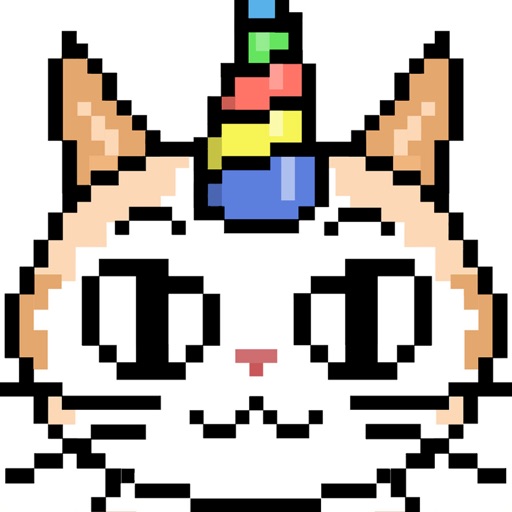
Create art with a simple interface. Tap to draw and access basic tools for designing SNS icons, game skins, or craft patterns. Export artwork for use in perler beads, cross-stitch, or knitting projects.
Allows users to import photos and access over 20 ultra-realistic brushes. Create detailed and paintings with adjustable brush pressure and flow. Export artwork in multiple formats and share directly.
Create mandala paintings using vector-based tools. Zoom smoothly for precise details. Choose from various colors and brush styles. Save and share drawings directly. Adjust layer settings for customization.
Create art with a complete toolset including layers, timelines, and advanced coloring. Edit spritesheets, GIFs, and game assets. Use touch or pen for optimized drawing. Render with high-performance Metal technology.
Wallpaper "Browse and download high-quality and backgrounds. Edit favorites and apply filters. Save to camera roll. Supports all and iPad models. Available offline."
, paint, and doodle on a digital whiteboard. Share artwork with friends. Use stickers, brushes, and shapes to enhance creations. Add text and export drawings in multiple formats.
The app allows users to create pixel art for iron-on beads and bead stitching. It supports importing and scanning photos into a pixel art canvas with adjustable sizes and various bead shapes.
Backgrounds from images with precise touch or auto-target tools. Maintain transparency for use in apps like Keynote or Pages. Edit pixels for accuracy and erase or restore specific areas.
Draw sketches using brushes and tools with support for Apple Pencil. Create layered artwork and zoom for detailed painting. Import and export vector images in PDF, PNG, and JPEG formats. Use color or photo backgrounds. Save artwork for later.
Allows users to draw and explore with infinite scroll and . Create digital artwork using Apple Pencil support. Adjust brush settings for precision. Save and export drawings in various formats. Collaborate in real-time with others.
Create art with layer editing tools including adding, deleting, duplicating, hiding, sorting, and grouping layers. Use blend modes and transparency settings. Access various tools like pen, eyedropper, eraser, and selection.
Create art by following numbered grids. Choose from pre-designed images or generate custom designs using AI. Adjust colors and save projects. Share artwork directly or export in various formats.
Manage and organize creative projects in one place. Import and export files. Edit art with high zoom, animation tools, and color palette customization. Create and animate sprites for retro-style games.
Create art by filling images with pixels. Select and color individual diamonds to form detailed pictures. Choose from themed canvases like unicorns, hearts, and cakes. Save and share completed artwork. Unlock additional models with subscription.
Animated movies using frame-by-frame . Import and edit vector graphics. Access tutorials for learning techniques. Export animations in various formats. Collaborate with others through community features. Adjust timing and add sound effects.