PixelPencil - Pixel art editor
Draw art with layers and zoom
Yosuke Seki
iPhone Screenshots




Description
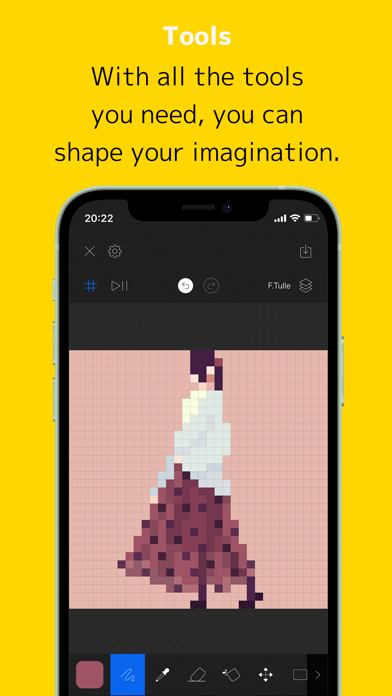
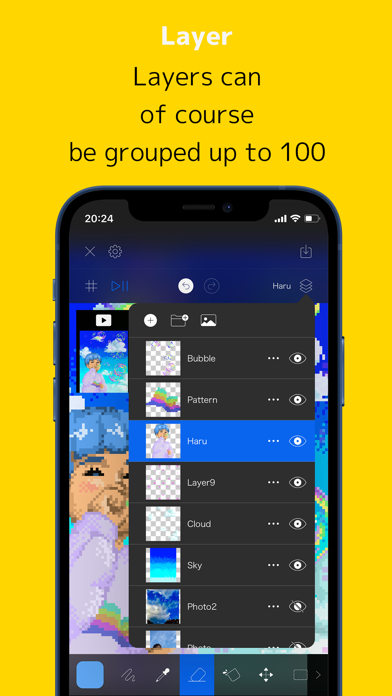
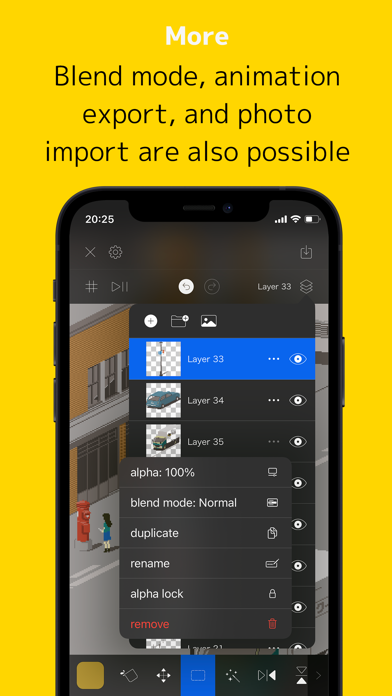
Create art with layer editing tools including adding, deleting, duplicating, hiding, sorting, and grouping layers. Use blend modes and transparency settings. Access various tools like pen, eyedropper, eraser, and selection.
PixelPencil is an app that was created to comfortably draw pixel art.
In addition to the layer function, there are also functions such as layer grouping and blend mode.
You can pinch in and out to zoom in and out, and you can rotate the canvas for intuitive operation.
The main functions are as follows.
・ Layer editing
Add, delete, duplicate, show / hide, sort, transparent, blend, group
There are abundant functions such as.
・ Various tools
Pen, eyedropper, eraser, fill, move, selection, flip, rotate, scale, shape
We have all the basic tools.
・ UndoRedo
Of course you can also undo redo.
・ Animated GIF export function
Each layer becomes one frame and you can create an animation.
・ Color creation
You can easily create your own favorite color.
・ Pinch in / out
You can zoom in and out and rotate by pinching in and out.
・ Saving multiple works
Since it uses a file system, you can save multiple projects.
You can also save it on iCloud.
・ Canvas size setting
You can set any size from 5 * 5 to 512 * 512.