
8bit Painter - Pixel Art
Create art and craft patterns
Takayuki Miyagawa
iPhone Screenshots
Description
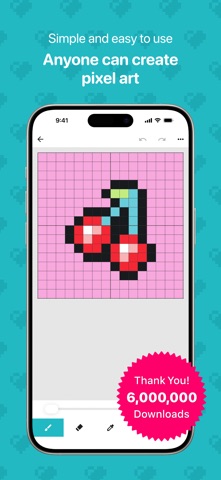
Create art with a simple interface. Tap to draw and access basic tools for designing SNS icons, game skins, or craft patterns. Export artwork for use in perler beads, cross-stitch, or knitting projects.
Over 6 million downloads!
An easy-to-use app for creating pixel art and 8-bit style artwork.
8bit Painter is a simple pixel art drawing app that beginners can start enjoying right away.
With intuitive controls, you can easily create pixel art for social media icons, game skins, illustrations, patterns, and more. It is also great for making designs for Perler beads, cross-stitch, knitting, and other handmade projects.
Key Features
- Simple controls that are easy for anyone to use
- Clear, focused tools for creating pixel art
- Perfect for beginners
- Great for making social media icons and game skins
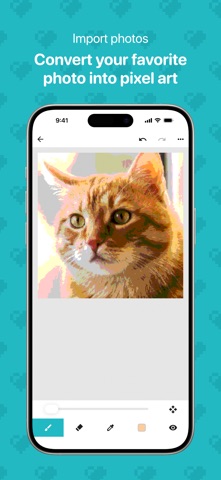
- Import photos and convert them into pixel art
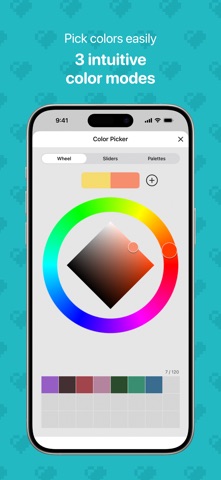
- Choose colors intuitively with a color wheel, sliders, and palettes
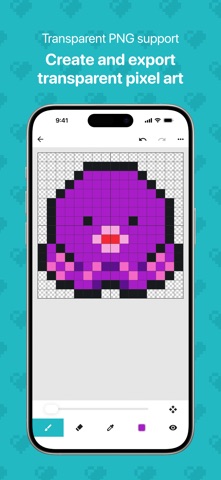
- Export transparent images in PNG format
- Export and import your artwork data
Canvas Sizes
16x16 / 24x24 / 32x32 / 48x48 / 64x64 / 96x96 / 128x128 / 160x160 / 192x192
Choose the right canvas size for your project, from small social media icons to detailed pixel art and craft patterns.
Image Import
Import your favorite photos and automatically convert them into pixel art.
It is also useful for creating social media icons, game skins, and pixel art assets.
Color Selection
Choose a base color with the color wheel, then fine-tune it with sliders or HEX input. You can also pick colors quickly from preset palettes, or save frequently used colors to your custom color palette for reuse.
Artwork Data Management
Export artwork data saved in your Gallery from the Settings screen, and import it again when needed. This is helpful for keeping your pixel art safe, preparing for a device change, or reinstalling the app.
Artwork Storage
- The initial artwork storage limit is 30 artworks
- Expand the limit up to 600 artworks by watching rewarded video ads or purchasing the Remove Ads add-on
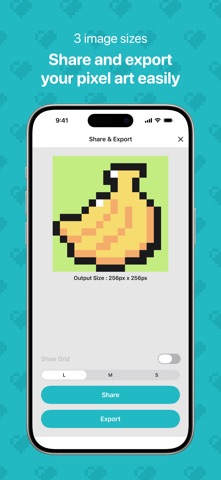
Image Export
- Choose from 3 export sizes
- Supports transparent PNG images
- Useful for social media posts, game skins, and exporting assets
Remove Ads Add-On
- Hides all ads
- Expands the artwork storage limit to 600 artworks
- Can be restored after reinstalling the app
- One-time purchase
How to Expand Your Storage Limit
- Each rewarded video ad you watch increases your artwork storage limit by 5 artworks, up to 600
- Purchasing the Remove Ads add-on expands your artwork storage limit to 600 artworks
Recommended For
- Anyone who wants to start creating pixel art
- People who want to make their own social media icons
- Anyone who wants to create game skins easily
- People making designs for Perler beads or cross-stitch
- People designing knitting patterns or handmade projects
- Anyone who wants to turn photos into pixel art
- People looking for a simple pixel art editor
- Anyone who wants to manage their artwork data and keep using the app over time
Enjoy creating pixel art and 8-bit style artwork with 8bit Painter!