Allows children to draw freely with various brushes. They can save and revisit previous drawings. The supports drawing on iPhone, iPad, and iPod Touch.
Create and customize grids with adjustable square or custom block sizes. Set canvas dimensions for accurate layout. Position and resize images within the . Adjust properties and view physical measurements. Submit feature requests directly from the .
Create notes and documents by hand with AI-powered recognition. Draw, sketch, and annotate PDFs on an expandable canvas. Convert to text and create diagrams with intuitive gestures. Organize content with layers and embed images.
Together vertically or horizontally. Combine chats, web pages, or side-by-side images into one image. Redact private information before sharing. Save and share the combined image directly.
Create logos and brand identities with drag-and-drop tools and customizable templates. Choose colors, fonts, and graphics. Export designs in various formats and share directly. Compete with ideas and refine concepts quickly.
Draw on whiteboard, blank canvas, or images using pen, line, arrow, and shape tools. Edit photos with filters, adjustments, effects, and crop options. Customize tool size and transparency. Add text, stickers, and emotions.
Adjust image and crop in inches or centimeters. multiple photos on a single sheet. Preview exact dimensions before sending. Ensure high resolution by checking PPI settings and avoiding stretching below 200-300 PPI.
Create images with added text, , or poems over photos. Customize text color, size, font, and background. Add watermarks, logos, or QR codes. Share directly to Instagram.
Create art with customizable colors, brush sizes, and opacity. Import photos from camera or library. Save and share designs via social media, email, or SMS. Clear canvas for new creations.
Convert images to or PNG formats. Supports HEIF/HEIC and common types. Converted files are saved to the Photos with automatic album creation. Allows conversion of PNG to for printing.
Turn photos into paintings with one-tap conversion. Edit, add signatures, and share on social media. Print artwork via CanvasPop with frame and size options. Transform videos into animated paintings.
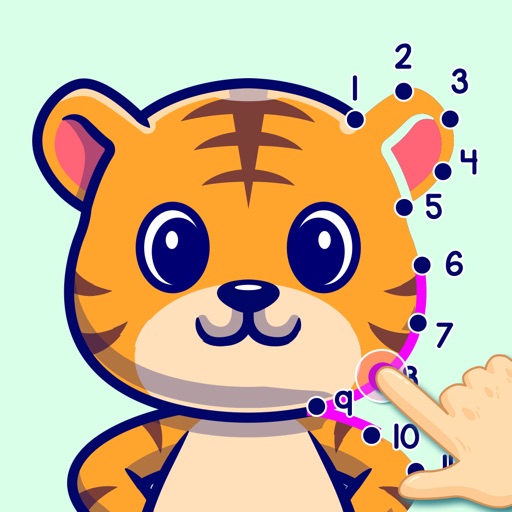
The app helps users connect numbered dots to form animal pictures. It is suitable for learning to write and read, offering a choice of animals and a color palette for painting.
Edit photos by converting them to black and white while retaining selected details. Use multi-touch gestures to paint areas in black and white or restore original colors. Zoom in and out with two-finger pinching. Adjust and export edited images.
Convert photos to various formats like JPG, PNG, GIF, and SVG. Select input file, choose output format, and convert in seconds. Save or open converted files in preferred apps. Supports multiple input and output formats.
Convert photos to black and white drawings for . Import photos from device or camera. Add colors using painting tools. Create drawings on blank canvas. Premium version offers more paint colors, opacity control, and outline editing. Removes ads.
Create photos by setting diameter in pixels, millimeters, centimeters, or inches. Import or capture photos, zoom, and move images. Edit with filters, focus, effects, and text. Adjust colored borders. Save, print, email, or share the final image.
Edit photos with stretching, squeezing, pinching, and prodding tools to create surreal effects. Apply advanced image manipulation techniques similar to professional software. Export edited images in various formats and share directly.
Print images as large posters by dividing them into pages. Each page has a thin border line for cutting and barely visible numbering at the bottom left. Users can deactivate page numbers in settings.