Track aircraft movements in real-time on a detailed map. View details including destination, aircraft type, and altitude. Use device camera to identify planes and check status. Receive alerts for changes and delays. Share data with others.
View detailed navigational charts offline with multiple overlays. Access real-time data and historical information. Plan routes and track progress. Set waypoints and measure distances. Sync with other devices for collaborative navigation.
Track real-time positions and receive updates on status. View paths, altitudes, and speeds. Monitor family or friend flights for arrival and departure times. Set alerts for changes and airport pickups.
The app allows real-time parameter adjustments for DJI A2 Flight Controller Systems and DJI Ronin and Ronin-M. It supports Bluetooth 4.0 and displays real-time flight data.
Track driving costs in real-time by entering fuel price and efficiency. Split trip expenses with passengers. Record trips for review or sharing. Monitor speed with visual and sound alerts when exceeding preset limits.
The app visually represents an aircraft and a holding pattern relative to a navigation aid. Users can learn to determine their position using ADF, VOR, and heading information, and identify correct entry patterns for standard and non-standard holds.
Coordinates can be viewed and shared via decimal degrees, degrees-minute-seconds, degrees-minute-decimal, UTM, and military grid systems. Users can tap a map to retrieve coordinates and directions.
Find gas stations, restaurants, and car washes near your location. Track rewards and earnings. View maps and directions. Receive real-time updates on fuel prices and promotions. Manage account settings and redeem rewards.
Plan and visualize shots from approach to target with overlays like entry angle and distance markers. Save favorite shots and use video mode for analysis.
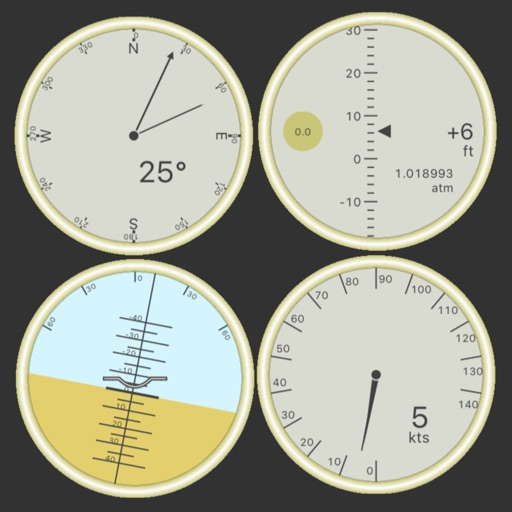
Customize dashboards with configurable gauges like speedometer, odometer, GPS altimeter, barometric altimeter, accelerometer, artificial horizon, compass, and elapsed time. Swipe to switch views and access real-time sensor data from iPhone or iPad.
Track routes, find waypoints, and navigate offline
Navigate outdoors with offline GPS maps and real-time augmented reality. Track waypoints and custom locations. Use a gyrocompass, speedometer, altimeter, and inclinometer. Find celestial bodies and measure angles.
Track live air traffic with real-time updates on aircraft location, altitude, speed, and direction. Search for specific planes by identifier. View global paths and movement details. Receive instant notifications on status changes.
Displays device location as a plane with speed, direction, altitude, and geo data. Allows adding markers at specified distances or times along the flight path. Tracks movement on the map.
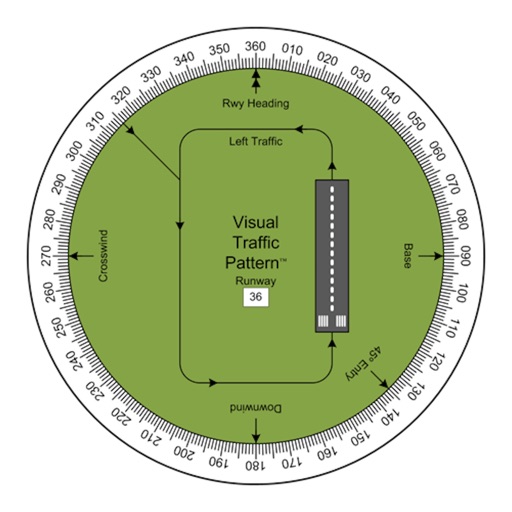
Allows pilots to view runway patterns with finger rotation. Display includes left and right patterns, crosswind, downwind, base, and 45-degree entry headings. Magnetic runway orientation matches aircraft heading for approach visualization.
Write notes with natural gestures and minimal buttons. Adjust font size via pinch-to-zoom. Slide notes aside to hide the keyboard. Flip through notes with finger flicks. Customize text appearance without predefined fonts or paper styles.
Tracks location, speed, altitude, heading, acceleration, g-force, and atmospheric pressure. Retrieves and displays current weather data. Records tracks up to 10 minutes or 10 kilometers. Plays back tracks at multiple speeds.
Calculate -related conversions, fuel consumption, and navigation metrics. Perform arithmetic operations and unit conversions. Track time, distance, and speed. Sync with Apple Watch for real-time updates.