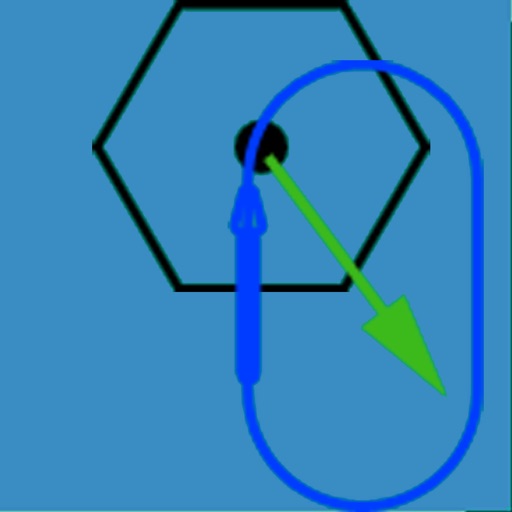
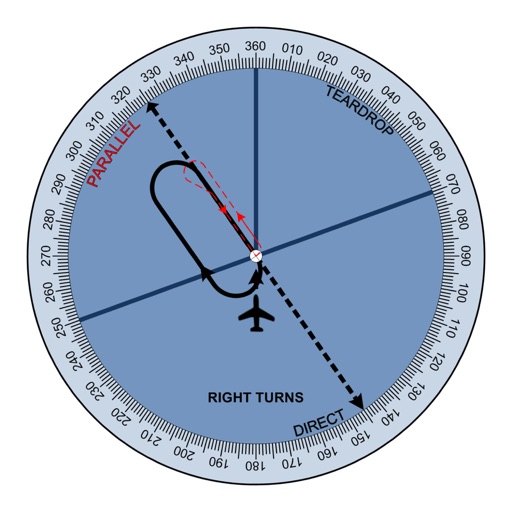
The app visually represents an aircraft and a holding pattern relative to a navigation aid. Users can learn to determine their position using ADF, VOR, and heading information, and identify correct entry patterns for standard and non-standard holds.
by DID Software Inc.★ 2.68 ratingsEducationFreeData updated 2026-10-18
Practice instrument flying with interactive modules
Learn instrument flying with interactive modules for ADF/RMI, VOR/ILS, HSI, and IFR procedures. Practice holding patterns and entries through animations and exercises. Use a built-in IFR simulator for training.
Learn and practice IFR flying with a simulator that allows setting up custom navigation aids, aircraft position, speed, and movement. Adjust runway direction, wind conditions, and use instruments like VOR, HSI, DME, and RMI.
Test knowledge of systems with multiple choice quizzes on ADF, VOR, DME, NDB, HSI, and RMI. Practice positioning, holding patterns, and standard procedures. Track progress and reinforce understanding of instrument flight techniques.
Cast VOR signals to any location for navigation. Display and ADF indicators. Adjust course and track bearings. Sync with avionics systems for real-time flight data.
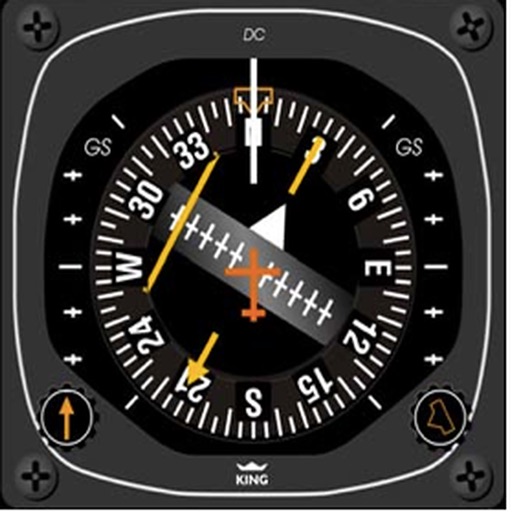
The app provides instrument training for general aviation pilots. Users can manipulate map elements and observe instrument responses in Learn mode, or determine aircraft location based on instruments in Test mode.
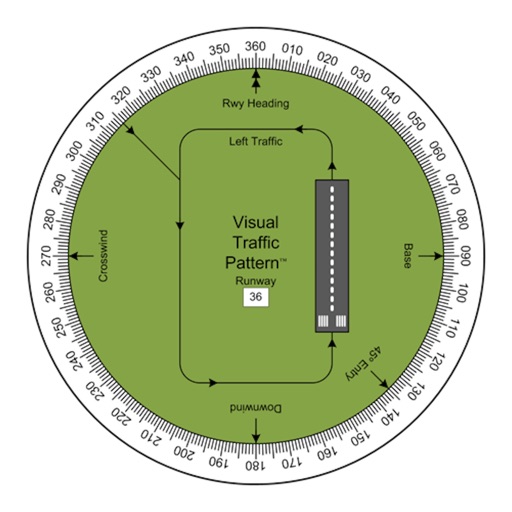
Allows pilots to view runway patterns with finger rotation. Display includes left and right patterns, crosswind, downwind, base, and 45-degree entry headings. Magnetic runway orientation matches aircraft heading for approach visualization.
Access real-time data and control virtual . Tune global aviation radios or create custom radio aids. Practice navigation techniques and use as a training tool or supplementary instrument during flights.
Explore the night sky by identifying celestial objects, tracking astronomical events, and locating specific space bodies. Adjust constellation visuals, set reminders for celestial events, and customize the experience.
Track aircraft movements in real-time on a detailed map. View details including destination, aircraft type, and altitude. Use device camera to identify planes and check status. Receive alerts for changes and delays. Share data with others.
The app provides insights into holding procedures with explanations, illustrations, and interactive tools. It covers all three holding entry types and includes practice modules for timing, intercept, and tracking.
Track flight altitude, speed, and heading in real time. Monitor waypoint progress and adjust flight path remotely. Control simulated flights via plugin integration. View navigation data wirelessly from a mobile device.
Practice IFR flight training with simulations of VOR, HSI, RMI, ADF, DME, and ILS navigation. Track instrument readings, adjust settings, and test navigation skills. Save progress and review performance metrics.
View celestial objects like stars, planets, and constellations using device sensors and GPS. Tap to identify objects and learn about their properties. Explore detailed information on celestial events and navigation. Share observations with others.
Track flights with real-time aircraft positioning on an interactive map. View details including airline, number, times, altitude, speed, and heading. Access AI-generated aircraft visuals for realistic representation.
Calculate groundspeed, true heading, compass heading, leg time, distance, fuel required, fuel flow, and endurance for flight planning. Convert airspeed, altitude, and temperature.
Track live air traffic with real-time updates on aircraft location, altitude, speed, and direction. Search for specific planes by identifier. View global paths and movement details. Receive instant notifications on status changes.
Learn and practice IFR procedures with realistic simulations. Navigate using charts and instruments. Practice approaches, holds, and instrument approaches. Track progress and review performance metrics.
Track VOR and NDB signals in real time. Practice holding patterns and radial interceptions. Simulate check rides and sim assessments. Adjust needle movements and receive feedback. View flight path and navigation data.
Teach first math with interactive games. Identify patterns, order objects by size or numbers, compare numbers, and practice addition and subtraction. Aligns with state curriculum standards.