Apply effects to photos. Share edited images on Facebook, Twitter, WhatsApp, and Instagram. Adjust settings to customize the appearance. Save and export modified photos.
by Rachid ERRAZI★ 4.17,101 ratingsPhoto & VideoFreeData updated 2026-09-09
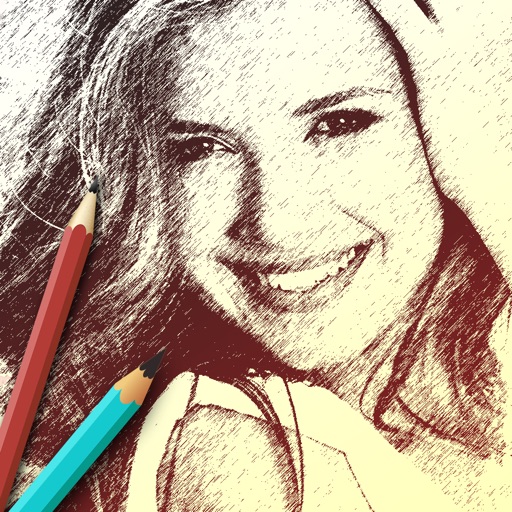
The app transforms user photos into pencil drawings with a sketch shine effect. Users can capture images, apply filters, and share their creations on social media or save them.
Edit photos with advanced filters, color adjustments, and mathematical transforms. Apply custom brushes and import Photoshop brushes, curves, and fonts. Repaint images and export in various formats. Share edited work on Instagram.
The app allows users to create sketches and share them with friends. It offers filters to transform photos into sketches and frames to decorate creations.
Edit with predefined filters, styles, and background effects. Adjust image ratios automatically. Share directly to Facebook, Instagram, or Twitter. Add and customize backgrounds for social posts.
Create photos by setting diameter in pixels, millimeters, centimeters, or inches. Import or capture photos, zoom, and move images. Edit with filters, focus, effects, and text. Adjust colored borders. Save, print, email, or share the final image.
Edit photos with effect and features. backgrounds and apply black-and-white conversion. Select areas for contrast. Zoom with two-finger pinching. Adjust brush size, opacity, and offset. Export edited images.
Enhance photos with Hi-Def, Scenery, Food, Portrait, and Night modes. Apply over 100 free and purchasable filters. Add stickers, frames, and overlays. Touch up selfies with redey tool. Share edited photos directly.
Create professional-quality graphics by adding overlays, fonts, backgrounds, and filters to photos. Edit images with cropping and adjustments. Share designs directly to social media platforms.
Apply to photos and videos in real time. Edit existing media from the camera roll. Organize into categories for quick access. Share edited content directly to social media. Adjust brightness, contrast, and color settings.
Create artistic images using 50+ custom templates. Crop and frame photos into symbols, words, or shapes. Share finished images to Instagram, Facebook, Flickr, Tumblr, and Twitter.
Edit photos by automatically cutting out portraits using AI. Apply various trendy templates to redesign images. Share edited photos directly to social networks like Instagram and Facebook. Adjust and enhance images with editing tools.
Edit photos with filters, cropping, and adjustments. Add text, stickers, and layers. Create collages with 500+ grid templates supporting up to 9 images. Design stories with templates and grids. Cut out photos and add backgrounds.
Edit videos and photos with mosaic and AI filters. Add scribble animations and customize aesthetics. Share content to TikTok, Snapchat, Instagram, and Facebook. Adjust filters and for creative storytelling.
Decorate photos with festive frames and color effects. Add bokeh effects and stickers. Share edited photos directly with contacts. Apply pre-designed frames and customize colors for images.
Combine photos into framed and captioned layouts. Add text and filters to enhance visuals. Share directly to Instagram. Arrange images with creative and decorative effects.
Create sketches from photos with adjustable brush settings and layer controls. Choose from multiple art styles including cartoon, silhouette, and watercolor. Edit sketches with tools for tracing, erasing, and color adjustments.
Edit photos with AI filters, text overlays, and background removal. Generate images from text descriptions. Create future baby visuals by uploading photos. Apply AI filter packs for artistic effects. Save and share edited photos directly.
Create collages with single or multiple photos, up to 14 images. Add , backgrounds, and drawings. Share collages on Facebook, Instagram, Twitter, WhatsApp, and other platforms. Edit photos with basic tools and apply templates.