The app allows users to create pixel art characters or landscapes using their fingers. It includes a color history feature to store four colors per work and a gallery to manage created art.
by DAI WEIJIE★ 5.01 ratingsPhoto & VideoFreeData updated 2026-11-06
Apply filters to photos from the gallery or during capture. Choose from twelve unique styles including cartoon, sketch, and paint effects. Edit images with artistic filters and save or share the modified photos.
Explore art history by selecting a category such as Contemporary Art or Impressionists. Identify artworks based on descriptions and images. Earn points and badges for correct answers. Track progress with achievements and rankings.
Create eye-catching thumbnails and channel art with customizable dimensions. Access a library of 500+ backgrounds and images. Add fonts from over 50 options and include stickers. Apply professional filters and use editing tools.
Create paintings from text descriptions using AI-generated art. Adjust colors, brush styles, and composition. Save and export images in various formats. Collaborate on projects with others in real time.
Trim videos to 2–15 seconds. Cut segments and split into two parts. Rotate, crop horizontal to vertical, and take screenshots. Update dates to appear at the top of the gallery.
The app presents famous works of art for users to identify the artist. The game includes 49 artists and over 380 works of art, with each game providing one sample from each artist.
Create AI-generated art by typing prompts. Select from styles like realistic, anime, and 3D. Generate images instantly. Save and share artwork directly.
Create and edit digital art with brush tools, layers, and color blending. Import photos and sketches. Adjust brightness, contrast, and saturation. Add text and shapes. Export artwork in various formats and share directly.
Create collages using 100+ 2D/3D frames. Add images from gallery or camera. Adjust opacity and rotate photos. Include text with custom fonts and colors. Apply effects to enhance visuals. Export and share finished collages.
Allows children to create art using finger slides and clicks. It includes stick figures, , and coloring features. Users can explore art materials, cartoons, and comics.
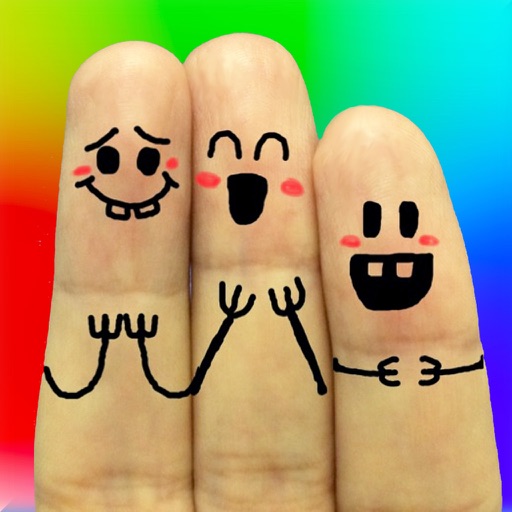
The app allows users to create finger faces using photos from their camera roll or by taking new pictures. Users can add faces, items, stickers, and text, or draw their own creations.
Create memes by selecting images from device or Google Images and adding text. Share memes via Facebook, Telegram, WhatsApp, or save to Camera Roll. Includes a gallery section for viewing and using existing memes.
Create art by following lines with customizable brushes and bright colors. Choose from various patterns and tools. Save and share completed drawings. Adjust colors and brush sizes for detailed painting.
Create greeting cards by adding photos to frames. Select images from the gallery or take new photos. Choose from various frames and adjust photos with zoom and rotation. Share cards with friends and family.
Edit photos by selecting from the gallery or using the camera. Add and adjust their position, size, and rotation. Crop images by dragging or scaling with two fingers. Share the edited photo directly.
Edit photos by removing unwanted background elements. Add romantic and stickers to images. Create collages for Day. Decorate pictures with customizable art tools. Share edited images directly.
Edit images with drawing tools like rectangles, ovals, arrows, lines, and text. Add notes and highlights. Adjust colors and brightness. Save and share annotated images directly.
The app offers a relaxing pixel drawing experience for users of all ages, with a focus on calm and creative expression. It provides over 100 templates and a large grid for drawing, supporting attention and emotional regulation.
Stylize photos using over 500 AI art styles from various movements. Edit and retouch images with professional tools. Work offline with on-device AI models. Keep data private with no cloud storage. Export edited images in multiple formats.