The app allows users to create pixel art characters or landscapes using their fingers. It includes a color history feature to store four colors per work and a gallery to manage created art.
by DAI WEIJIE★ 5.01 ratingsPhoto & VideoFreeData updated 2026-11-06
Create collages by arranging multiple photos in predefined shapes. Choose from 100+ categories including hearts, animals, and flowers. Automatically place photos within selected shapes. Export finished collages.
Edit photos by selecting from the gallery or using the camera. Add and adjust their position, size, and rotation. Crop images by dragging or scaling with two fingers. Share the edited photo directly.
Create animations using 3D blocks in a 20x20 grid. Design up to 6 frames for short loops. Save and share animations. Practice character design for Minecraft skins or create retro game sprites.
Apply winter-themed to images. Adjust frame opacity and position. Share edited photos directly. Add text overlays and decorative elements. Export in various formats.
Select interior designs from a gallery to match artwork. Upload custom interiors and fit artwork precisely. Add frames from a collection. Create gallery with multiple pieces. Adjust size and position for realistic wall placement.
Learn colors and shapes through interactive drawing activities. Create art using fingerprint tracing and guided drawing exercises. Explore music games to recognize notes and rhythms. Engage in crafting activities to develop fine motor skills.
Take long screenshots by sliding across the screen. Crop and edit images to refine the shot. Supports WhatsApp, Instagram, websites, and other apps. Includes video tutorials for guidance.
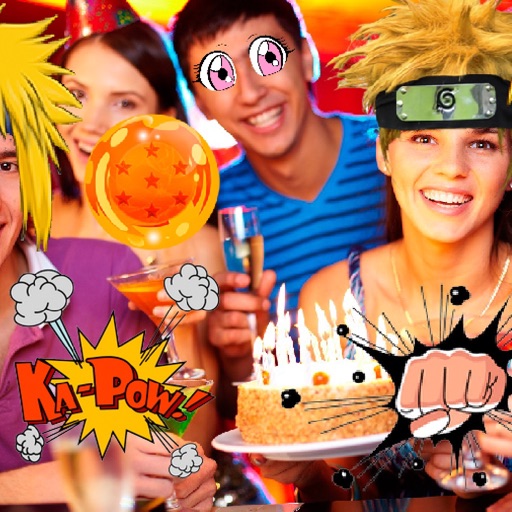
Take photos or select images from the gallery. Choose or stickers and place them by tapping and dragging. Adjust size, rotate, or move stickers as needed. Share edited photos directly.
Create game-ready 2D assets, textures, and skyboxes using text prompts. Generate unique characters and 360° environments with AI. Customize styles and details to match specific ideas. Export assets for use in games or projects.
Create memes from videos using pre-designed templates. Select a video from your gallery, apply meme effects, and share the result. Access a library of 75 meme templates and receive regular updates.
Learn to draw any subject with customizable color tools. Adjust settings for pencils, pastels, and brushes. Save artwork to camera roll and share on Facebook or Twitter.
Convert photos to Anime-style art with AI-powered image transformation. Adjust color tones, add whimsical effects, and export results. Share generated images directly or save for later.
Create pixel art with automatic double pixel removal for precise line art. Use round, square, and matrix dither brushes. Draw lines locked to isometric angles. Create rectangles and ellipses. Manage layers for animated projects.
Create and share digital art with coloring pages, art games, and tracing tools. Design in 3D and display creations in a personal digital museum. Collaborate on drawings with friends and family.
Convert photos to style with 16 customizable masks. Adjust colors and settings for detailed control. Save high-resolution artwork for print. Share creations socially. Supports iPhone, iPad, and iPod touch.