Apps Like PixelPix pixel photo editor for iPhone and iPad
Turn photos into art masterpieces
Convert photos into art using 7 filters: Basic, Circle, Dots, Rainbow, Ink, Mine, and Toon. Edit and share art on Instagram, Facebook, Twitter, and Weibo. Export and share finished artworks directly.
by kitaek kim★ 2.85 ratingsEntertainmentFreeData updated 2026-09-09
Create custom art by taking a selfie or photo. Select and pixels based on numbers. Share finished artwork on social media. Use magic wand tool for quick coloring. offline without internet connection.
Create art, share animations, connect with artists
Create and share art animations with an integrated online gallery and . Browse and interact with over 700,000 designs. Categorize and tag artwork with hashtags. Moderate and recommend animations using AI.
Create art with layer editing, color customization, and drawing tools. Add, delete, and copy layers. Adjust colors and save projects. Requires over 300MB free storage to create new projects.
Create art in a retro 80s style. Design simple or complex drawings and animations. Share with others. Customize sticker size and color. Add text and effects. Export and send via messaging apps.
Create art with layer editing tools including adding, deleting, duplicating, hiding, sorting, and grouping layers. Use blend modes and transparency settings. Access various tools like pen, eyedropper, eraser, and selection.
Watch short-form pixel art transformation videos. Share via Facebook Messenger, WhatsApp, Instagram, Pinterest, Snapchat, email, or Twitter. Collect favorite in a dedicated section. No ads, violence, or harmful content.
Edit photos with 220+ filters across 14 themes and add film-style analog effects. Apply textures for mood and light leaks. Create video stories using hundreds of templates. Edit videos with basic tools and share directly to social media.
Create and customize art by selecting colors and filling grids. Solve puzzles to reveal cityscapes. Find hidden objects and complete logical challenges. Save and share completed artwork.
Create art by selecting colors and filling in grids. Choose from pre-designed artworks or design custom pieces. Save and share completed projects. Access a library of free art templates. Adjust color palettes and grid sizes for different projects.
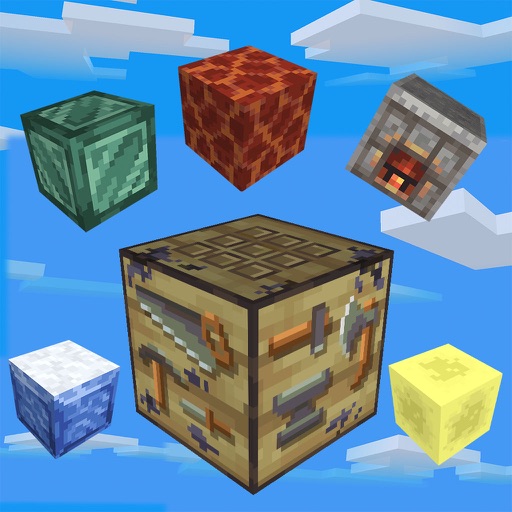
Build and explore 3D pixel worlds. Mine resources, create farms, and construct structures from houses to cities. Craft weapons and tools. Fight monsters at night. Design and share custom maps.
Match yarn balls to unlock paints and create pixel art. Rescue balls by matching 3 or more. Use the holding bar to manage collected items. Complete challenges featuring animals and landscapes. Enjoy ASMR sounds and strategic gameplay.
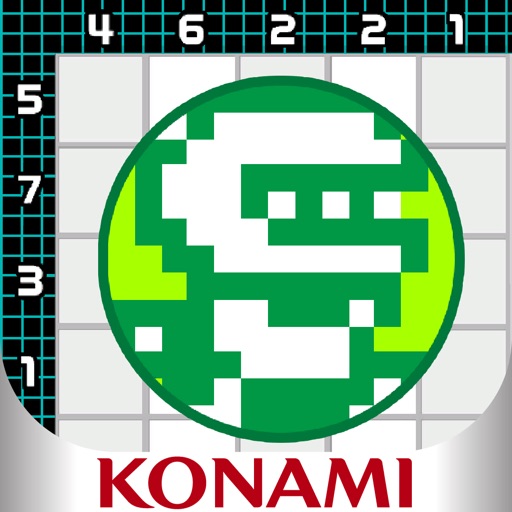
Solve picture puzzles by coloring sections to reveal characters from classic games. Complete puzzles to collect art pieces and assemble large images. Play Boss Challenges to gather pieces for a jumbo art creation. No in-game purchases.
Create art with a simple interface. Tap to draw and access basic tools for designing SNS icons, game skins, or craft patterns. Export artwork for use in perler beads, cross-stitch, or knitting projects.
By allows users to select and pre-drawn images using numbered sections. Features include a library of artwork, monthly updates, and the ability to save and share completed pieces.
Edit photos with auto enhancement, artistic sketches, beautiful paintings, and funny cartoons. Apply 700+ filters and . Add frames and stickers. Share edited photos directly.
By allows users to art by numbers in solo or multiplayer modes. Players can join online collectives to create shared artworks. Features include collecting stars, viewing leaderboards, and tracking colored pixels.
Set wallpapers with custom art animations. Choose from hundreds of unique, colorful, and retro animations. Share animations with friends. Customize animation settings. Apply animations to lock screen.
Solve puzzles by painting paths to reveal images. Complete over 500 puzzles and unlock themed packs. Use hints to correct mistakes. View animated scenes and enjoy detailed art. Access help resources from the pause menu.
Create pixel art using a grid-based drawing tool. Share artwork with others and follow pixel artists. Receive feedback and view community creations. Export art in various formats and access tutorials for improvement.