The app allows users to apply an iOS8 blurred effect to pictures. Users can get a photo from the Camera Roll or take a new one, apply the filter, and then save or share it.
by Miguel Lorenzo★ 1.01 ratingsPhoto & VideoFreeData updated 2026-11-05
RAY INFORMATICS YAZILIM TEKNOLOJI MEDYA DANISMANLIK VE EGITIM TICARET LIMITED SIRKETI
Elements for cinematic effect
Create cinematic effects by blurring background elements while keeping subjects in focus. Use AI-powered segmentation to isolate people and objects. Adjust intensity and apply motion for dynamic scenes.
Take photos with color and sharp filters. Apply whiteness and beauty skin effects. Combine filters and colors for custom looks. Add contacts in 64 pattern colors. Use filters in both camera and alarm modes without charge.
Apply effects to photos using pre-designed styles and stickers. Add -themed overlays and effects. Edit and save modified images directly. Share edited photos through integrated sharing options.
Edit photos by blending multiple images together using advanced editing tools. Adjust brightness, contrast, and color. Access a library of preloaded images to mix with personal photos. Export and share edited results.
Edit photos by selecting from the gallery or capturing new ones. Apply various and effects. Adjust position, size, and angle. Save edited images and share via social media, email, or messaging apps.
Edit photos by selecting from the gallery or capturing new ones. Apply various and effects. Adjust position, size, and angle. Save edited images and share via social media, email, or messaging apps.
See color values in real-time using the camera or convert photos to grayscale. Measure lightness of specific points. Apply grayscale filters for sketching. Helps with grayscale art and contour line practice.
Edit photos and videos to apply effects. Adjust hue, saturation, brightness, contrast, exposure, and other parameters. Use smart sharpening filters to enhance image quality. Convert old photos to style. Export edited content in various formats.
The app provides over 30 effects to make photos appear shiny and sparkly. Users can preview effects instantly and adjust transparency with an alpha slider.
Edit photos to improve clarity and sharpness using AI technology. Remove blurriness and enhance image quality. Adjust brightness, contrast, and color. Save and share edited photos directly.
Edit photos with , , and AI cutout tools. Apply neon, glitch, and overlay . Add doodles, artistic text, and fun stickers. Share edited photos directly to Instagram, WhatsApp, Facebook, and Messenger.
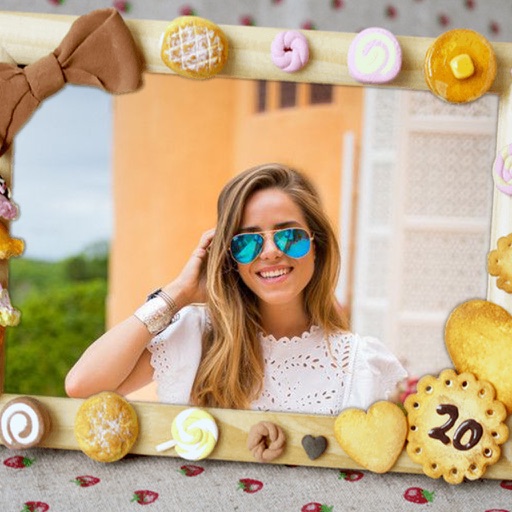
Edit photos by applying -themed frames from a collection. Select images from the camera or gallery. Add text to personalize messages. Share edited photos directly.
Add , captions, and artwork to . Select from curated background options. Choose images from device storage or camera. Adjust size, position, and style. Save and share edited directly.
Edit photos with filters, effects, and shapes. Add text and stickers. Crop and adjust images. Share directly to social networks. Apply pre-designed styles for modern looks.