See color values in real-time using the camera or convert photos to grayscale. Measure lightness of specific points. Apply grayscale filters for sketching. Helps with grayscale art and contour line practice.
by Robert Jakubowski★ 4.2105 ratingsEducationFreeData updated 2026-09-13
Convert photos to grayscale and selectively specific areas using finger touch or custom colors. Draw with zoom and rotation for precision. Use a magnifier for detailed work. Undo mistakes or redraw in grayscale. Export edited images.
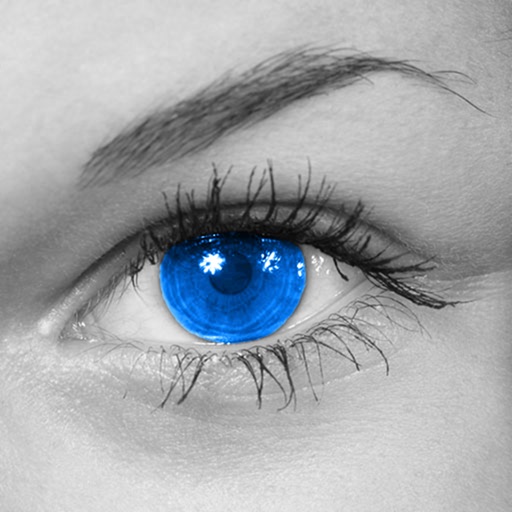
Convert to grayscale and highlight a specific . Tap to select the to emphasize. Preserve detail and apply effects using advanced computer vision. Export edited images directly.
Apply flower to photos from your album. Choose from various like roses, daisies, and sunflowers. Add color filters and adjust appearance. Share edited photos with family and friends.
Convert raster images to editable drawings with custom filters for various styles including grayscale, two-tone, Pop-Art, and polygonal shapes. Edit vectors with advanced tools, adjust colors, and save or share the results.
Explore wheels in digital, abstract, and classic formats. Select colors using a camera or image. Adjust hues and values. Create combinations. Use AR stencil for proportion marking. Save and share palettes.
The app converts photos to grayscale while allowing users to selectively recolor areas. Users can paint, zoom, and erase to create color splash images.
Determine RGB, HSV, and Hex values for any color. Tap on a photo to extract color values. Adjust red, green, and blue sliders to customize colors. Edit values directly and view calculated results. Use grayscale meter to find neutral color mixes.
Adjust image and crop in inches or centimeters. multiple photos on a single sheet. Preview exact dimensions before sending. Ensure high resolution by checking PPI settings and avoiding stretching below 200-300 PPI.
Convert images to vintage color palettes of old computers like IBM PC, Apple II, or Game Boy. Apply dithering methods including Floyd-Steinberg, Atkinson, and Bayer. Share edited images with others.
Capture photos using a 1-bit camera with only black and white pixels. Choose from three pixel resolutions and an 8-color mode. Features chunky buttons, mechanical sounds, and clean PNG output for printing or further use.
Edit videos with real-time filters and . Apply lenses like toonify, fire, Instagram, and vintage retro. Adjust colors and settings. Save and share edited videos.
The app offers 10 free professional-level filters and 25 additional in-app purchase filters. Users can apply a wide spectrum of effects, including retro, sketchy, and grayscale, to their photos.
To add vibrant colors to black and white, grayscale, or night vision photos. Select from the gallery or share from apps like Facebook, Twitter, Chrome, or Google Photos. Apply automatic colorization using machine learning.
Capture with real-time live effects and color presets. Apply adjustable effects and enhance colors simultaneously. Use screen flash for better results in low light. Share directly from the .