Convert images and videos to emulate retro computer and console visuals. Apply pixel art filters for Commodore 64, IBM PC, ZX Spectrum, Amiga, Atari ST, Sega Mega Drive, Game Boy, and more. Adjust color palettes and resolution settings.
by John Parker★ 4.8367 ratingsPhoto & VideoFreeData updated 2026-09-09
Select colors from real-world photos using a picker. Adjust circles to refine shades manually. Generate random combinations for creative exploration. Save and share favorite palettes.
Create drawings and paintings using a variety of colors and brushes. Select from pre-drawn shapes and stickers. Save artwork to device storage. Share creations via social media or email.
Create drawings by tracing images from the 's library or photos. Adjust line thickness and color. Add text and graphical elements. Export drawings in multiple formats. Share completed artwork directly.
HC MAKER - PHOTO LOGO BACKGROUND EDITOR APPS FOR FREE
Create images with AI
Create images using AI-generated visuals based on text prompts. Adjust styles, colors, and details. Save and share edited images directly. Export in various formats for different uses.
Create -themed with multiple creative options. Select images from gallery or camera. Apply effects for enhanced visuals. Share photos on social media platforms. Save edited images in high resolution.
Manage and organize creative projects in one place. Import and export files. Edit art with high zoom, animation tools, and color palette customization. Create and animate sprites for retro-style games.
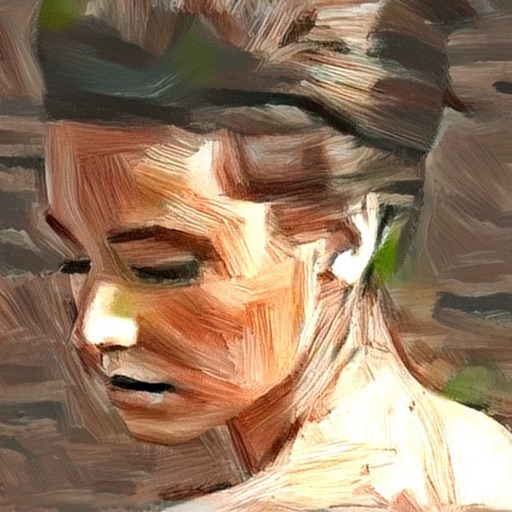
Turn photos into artistic portraits using AI-generated styles inspired by famous paintings. Choose from various art techniques and adjust details. Save and share the final artwork in different formats.
Convert text into images using AI-powered text-to-image generation. Select from diverse artistic styles. Edit generated images with built-in tools. Save and share final designs directly.
Simulate 40 types of instant, CCD, and film cameras. Capture photos with grain visible on zoom. Adjust lighting and color for authentic film look. Export images in various formats and share directly.
Create and edit images with basic drawing tools. Draw freehand or use shapes and lines. Add text and colors. Save and share drawings directly. Import and modify existing images.
Create art by entering prompts and selecting styles. Generate images, paintings, and drawings in seconds. Export and share created artwork. Adjust details and refine outputs as needed.
Create pixel art with layer editing tools including alpha sliders, hide options, copy, and merge down. Animate with onion skinning, alpha controls, and live preview. Export as PNG, GIF, or JPG with support for animated GIFs and sheets.
ANCIENDA TEKNOLOJI YAZILIM VE PAZARLAMA ANONIM SIRKETI
Spaces with AI-powered tools
Redesign interiors and exteriors by uploading photos and selecting styles. Choose color schemes, furniture, and decor. View 3D renderings and adjust layouts. Save and share concepts. Access templates and materials for realistic visualizations.
Create digital art with layers, brushes, and customizable palettes. Import images and vector graphics. Save and export in various formats. Access tutorials and community features. No ads during use. One-time purchase for permanent access.
Edit photos by removing objects with a magic eraser and auto-cutout tools. Adjust colors, apply filters, and enhance details. Save and share edited images directly.
Turn photos into retro video game-style images. Select pixel shapes, sizes, and color schemes. Adjust colors and flatten palettes. Pinch to resize pixels or double-tap to switch color modes.
Edit photos to visualize design ideas with AI-generated style options. Choose from multiple design themes and receive furniture and décor suggestions. Preview changes in 3D and save or share design concepts.