
iPhone Screenshots




Description
Create pixel art with layer editing tools including alpha sliders, hide options, copy, and merge down. Animate with onion skinning, alpha controls, and live preview. Export as PNG, GIF, or JPG with support for animated GIFs and sheets.
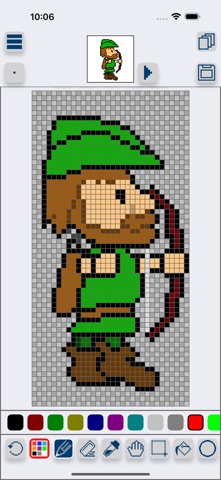
Sprite Creator is a very powerful and easy to use pixel art drawing app. Create and import sprite sheets, tile maps, or even animated gifs. This app has been designed to be a simple and powerful tool for creating pixel art for games or for fun.
Layer Editing Tools
- Alpha sliders
- Hide option to ignore layer
- Copy
- Merge down
Animation Frame Tools
- Onion skin
- Onion skin alpha sliders
- Live auto looping preview
- Copy
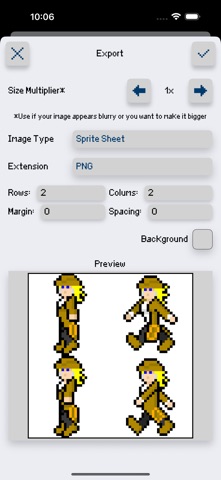
Exporting Features
- png, gif, or jpg
- Animated gifs
- Sprite sheets and tile maps with full control over number of rows, columns, margin, and spacing
- Single image series
- Set Background Color (allows you to pick a specific background color for exporting)
- Up scaling tool (increase the image size while keeping that pixel look)
Importing Features
- Import sprite sheets and tile maps and slice it into editable frames by setting width, height, margin and spacing.
- Import animated gifs
- Import png, gif, and jpg right from your camera roll
Selection Options
- Move
- Flip
- Rotate 90 degrees
- Copy (copies a selected area for the selected layer)
- Copy All (copies a selected area for all layers)
- Paste (pastes whatever you have copied on a layer or even a new project's layer)
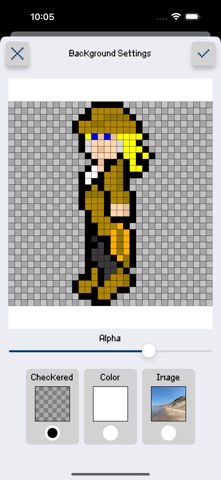
Background options
- Checkered
- Color
- Image
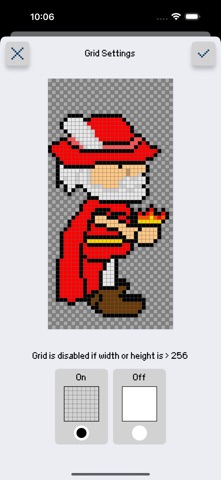
Grid Options
- On/Off
Other Features
- Save/Load right in the app
- Create your own customized color palette with unlimited colors
- RGBA and HSBA color sliders to find the perfect color
- Create a new project at any size you want
- Edit project size after creating it
- Optional inspiration view (floating image from your camera roll for inspiration)
- Tap and hold to load an image from your camera roll
- Drag to move
- Double tap to resize
- Preview window to see your pixel art at a small size
- Multiple brush sizes
- Line, Square and Circle drawing tool
- Hand Tool to make it easier to zoom and pan your canvas
For more updates and to see Sprite Creator in action check out our Facebook page.
https://www.facebook.com/spritecreator/