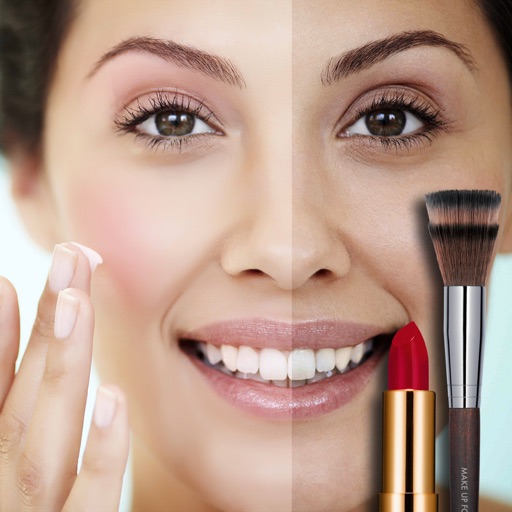
Automatically smooth and apply blush, lipstick, eye shadow, eyeliner, and mascara to portraits. Retouch faces while preserving details and texture. Perform all edits instantly without manual adjustments.
by 松滔 袁★ 4.218 ratingsPhoto & VideoFreeData updated 2026-09-09
Edit photos by adding speech bubbles with 15 styles and customizable colors and fonts. Create collages with comicbook-style layouts. Share photos directly from the . Drag, rotate, and pinch elements for editing.
Edit photos with multiple layers, blending modes, and masking. Adjust colors and brightness using adjustment layers. Apply brushes, smudge, warp, and effects. Add shadows and clarity. Export and share edited images.
Create anime-style cartoon avatars with customizable features. Choose from hundreds of options to personalize characters. Add accessories, expressions, and backgrounds. Export images for social media sharing.
Edit photos with filters, beauty tools, and artistic effects. Adjust skin tone, eyes, and lighting. Add stickers, text, and frames. Export in multiple formats and share directly. Sync with mobile edition for consistent editing experience.
AI improves quality, fixes lighting, and sharpens details. AI Unblur converts pixelated or blurry images into clear high-resolution photos. Users can upload photos and apply AI-powered enhancements to restore old memories or refine portraits.
Edit photos with AI-powered enhancement, unblurring, and sharpening. Remove objects and restore old images. Convert photos to pixelated or HD formats. Create AI-generated cartoons. Share edited images directly.
Edit photos with filters, cropping, and tone adjustments. Add text and stickers. Export in multiple formats and share directly. Send photos to retouchers with custom comments. Receive edited images in 1 to 15 minutes.
Edit photos with AI , 30+ lipstick color options, and skin smoothing tools. Remove blemishes, adjust brightness, and apply natural makeup effects. Save and share edited images directly.
The app provides professional photo editing services by Photoshop experts. Users can request edits for face, body, skin, and backgrounds with options for express or custom services and unlimited revisions.
Create artistic images with single-tap camera effects and professionally designed filters. Adjust brightness, contrast, and tone curve. Blur and focus images. Rotate, crop, and resize photos. Add text and fun stickers.
Edit RAW photos with color and tone adjustments. Import and process RAW files from cameras or storage devices. Organize and manage libraries. Capture pro-grade RAW images with manual controls.
Edit photos and videos into paintings using 31 presets and 12 professional tools. Apply AI-generated effects with machine learning assistance. Adjust colors, brushes, and textures for custom artwork. Export edited media in various formats.