Apps Like Snapit-Image & Video messaging for iPhone and iPad
Share photos that self-destruct quickly.
The app allows users to share photos that self-destruct after 10 seconds or save them to a device's photo library. It includes various filters and tools to alter photo appearance.
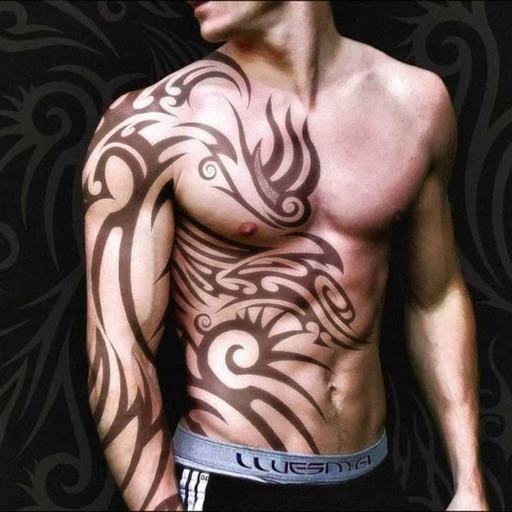
Create tattoos on photos with high-definition images. Select from various styles like dragon, color, love, and kanji. Apply effects and save or share directly. Choose photos from camera or gallery.
The app transforms photos into multicolor mosaics with intuitive dial-based controls. Users can save creations to their phone or share them via various social media platforms and email.
Create a custom image by selecting two parent photos and generating a . Apply filters to photos to replace faces with features. Share generated images directly.
Overlay photos on the camera to match in real time. Apply like dreamy, vintage, or cinematic with one tap. Add text behind subjects for depth effects. Create and share edited photos directly.
The app automatically detects teeth for whitening and retouching photos. It offers tools to adjust smile appearance and lip shape, along with an object remover and photo filters.
Create slide shows by combining photos into videos. Choose from 150+ transitions and 50+ tracks. Adjust photo size or without cropping. Support multiple aspect ratios. Add 20+ animations and edit photos and freely. Share or save the final video.
Edit images with drawing tools like rectangles, ovals, arrows, lines, and text. Add notes and highlights. Adjust colors and brightness. Save and share annotated images directly.
Record videos and take photos discreetly using fake backgrounds to hide the . Monitor motion with a sensor to automatically save footage. Set a photo timer for interval shots. Share captured media directly.
Edit photos with effects, filters, and motion stickers. Apply virtual and adjust skin tone. Snap selfies with candy filters. Share edited photos to social networks.
Create greeting cards by adding photos to frames. Select images from the gallery or take new photos. Choose from various frames and adjust photos with zoom and rotation. Share cards with friends and family.
Edit photos by adding custom logos. Choose from Square, Landscape, or Portrait formats. Import images from the photo library. Add custom text to create a . Adjust font, size, rotation, and color. Position the anywhere on the canvas.
Edit photos with filters, effects, and text tools. Add stickers, shapes, and draw over images. Adjust colors, lighting, and focus. Crop, resize, and enhance details. Apply tone curves and retouch features. Export and share edited photos.
Create light with 11 shape options including heart, light, and star. Apply random by tapping the photo. Save edited images in high quality and share them directly.
Record with one tap, capture high-resolution video without ads or watermarks. Include system audio and microphone input. Edit recordings with trimming, cropping, and effects. Export videos to photo library.
RAY INFORMATICS YAZILIM TEKNOLOJI MEDYA DANISMANLIK VE EGITIM TICARET LIMITED SIRKETI
, , and edit photos
Convert printed photos to digital format by scanning and colorizing them. Apply various templates and filters to enhance images. Save and share the edited photos directly.
See color values in real-time using the camera or convert photos to grayscale. Measure lightness of specific points. Apply grayscale filters for sketching. Helps with grayscale art and contour line practice.
View photos from iCloud Photo Library and see EXIF data, location, and lens direction. Filter by favorites, location, or date. Edit metadata by removing geotags and personal data. Copy raw metadata to clipboard.