Install and use custom TrueType, OpenType, and TrueType Collection fonts on iOS devices. Apply fonts across system apps like Word, Excel, and PowerPoint. Prevent font substitution in documents and presentations.
by Pepperbit Online GmbH★ 4.626,189 ratingsUtilities$1.99Data updated 2026-11-14
Convert files between formats including 3D models (3DS, FBX, STL), markup (PDF, DOCX, Markdown), CAD drawings (DWG, DXF), and videos (3G2, 3GP). Edit and export files directly within the .
Change default keyboard font with customizable options. Select and apply unique fonts for messages, bios, and social media. Create themed keyboard wallpapers. Customize game nicknames and send styled text messages. Sync fonts across devices.
Create and print custom directly from a phone. Design using 11 guides, 34 barcode types, 85 fonts, and 34 languages. Import data from spreadsheets, generate sequences, scan barcodes, and convert text via voice or photo.
Edit and format documents, Excel spreadsheets, PowerPoint presentations, and PDFs. Create and manage in one place. Save and share documents directly. Sync across devices for continuous access.
Edit with filters, stickers, and emojis. Create photomontages with built-in effects. Apply artistic tools for detailed edits. Add with customizable fonts and colors. Export and share edited images directly.
Create detailed technical illustrations and artistic designs with vector editing tools. Draw, reshape, and color elements with precision. Import and export files in multiple formats. Use layers, masks, and effects for advanced design work.
The app supports over 2000 source formats for conversion to Archives, Audio, Documents, Ebooks, Images, and more. Users can share converted files through multiple methods after conversion.
Displays time in 24-hour or AM/PM format with optional date display. Users can customize colors, fonts, and screen orientation. It includes brightness control, sleep reminders, and battery status.
Switch between social media and messaging accounts with profile switching. Personalize messages with unique fonts and styles. Organize work and personal profiles for easy account management.
Type with over 40 custom across apps like Instagram, Facebook, and messaging platforms. Access more than 100 icons for expressive communication. Switch instantly within any application.
Find and install fonts from Google Fonts for use in text editors. Preview, download, and organize fonts into categories like Sans-Serif, Serif, and Handwriting. Apply fonts to headings, chapters, and body text in apps like Pages or Word.
Add and to with customizable fonts and animations. Position and resize anywhere on the screen. Set duration using a time slider. Crop to square. Choose from preloaded or . Apply start and end animations to elements.
Manage and install on iOS devices. Preview with images, scan for security, and collect favorites. Install freely and view them in system settings. Export after installation.
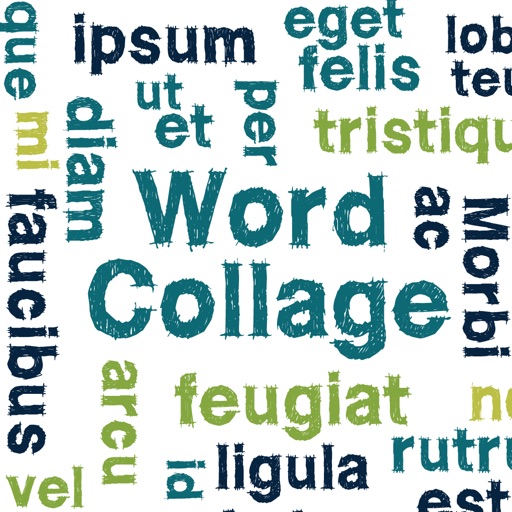
Create clouds by selecting color themes, fonts, and layouts. Choose from six layouts including horizontal, vertical, and half and half. Input text to generate clouds where common words appear larger.
Create programs using a with interface elements like buttons, text boxes, and sliders. Organize objects into pages. Publish apps via SDK for Xcode. Write code for standalone iOS applications.