The app allows visitors to theme parks to access, view, and share photographs taken by park photographers. Customers can log in with an email address and passcode to view, share, and save their professional photographs.
by Picento Automated Photography Systems Ltd★ 0.00 ratingsPhoto & VideoFreeData updated 2026-10-27
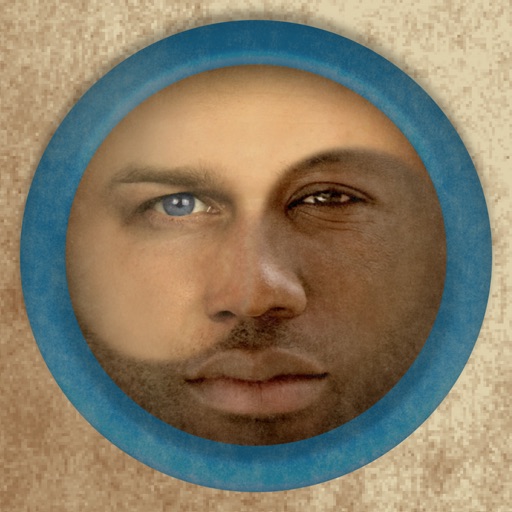
Merge faces to create humorous mixed images with friends, family, or celebrities. Adjust facial features and proportions. Share results via email, MMS, Facebook, or Twitter. Use preloaded example pictures or upload photos.
Create photos by setting diameter in pixels, millimeters, centimeters, or inches. Import or capture photos, zoom, and move images. Edit with filters, focus, effects, and text. Adjust colored borders. Save, print, email, or share the final image.
Download and manage on iPhone and iPad. , edit, and transfer documents across devices. Support multiple downloads and resume interrupted transfers. Secure with passcode. Sync with iCloud, Dropbox, Box, Microsoft Live, Airdrop, and email.
Take black and white photos with live preview. Use colored lens filters and professional conversion settings. Adjust contrast, brightness, and exposure in real time. Add film grain and black vignetting. Export images to social media and email.
Manage and photos with . images, adjust colors, preview prints, and connect to compatible printers via Wi-Fi. Supports image arrangement and direct printing from iPhone or iPad.
Capture photos with automatic , date, GPS coordinates, and location stamps. Edit timestamps, add notes, and share photos with location details. Sync with maps for precise geotagging.
Capture photos with manual exposure and focus controls, RAW and TIFF support, and real-time adjustments. Edit images with advanced tools, apply effects, and export in high-quality formats. Share photos directly from the .
HC MAKER - PHOTO LOGO BACKGROUND EDITOR APPS FOR FREE
Apply filters and share photos
Edit photos by importing or taking a picture, then applying curated filters designed by professional photographers. Save edited images and share them directly. Access a library of free images for inspiration.
The app allows users to capture photos with customizable information overlays, including location, date, and comments. Photos can be stored within the app or exported to cloud services with flexible options.
Use AI to capture long exposure photos. Remove crowds, create light trails, and enhance waterfalls. Adjust exposure settings automatically. Preview and edit images with advanced tools. Share final photos directly.
RAY INFORMATICS YAZILIM TEKNOLOJI MEDYA DANISMANLIK VE EGITIM TICARET LIMITED SIRKETI
Add watermark to photos and videos
Add watermark as , image, or QR code to photos and videos. Customize design, position, and transparency. Save and share modified media directly. Protect content with brand-specific watermarks.
Organize photos and videos into folders and subfolders. Create, copy, move, rename, or delete media files. Set passwords and covers for folders. Sort by date, name, or type. Add descriptions and star ratings.
View 3D stereo photographs requiring red/cyan 3D glasses. Explore image packs of Florence, Venice, Vatican City, Rome, and Dogs. Adjust photo settings and share individual images.
Edit photos with single-tap effects and professional filters. Adjust brightness and contrast. Apply blur and focus tools. Enhance portraits with specialized filters. Export edited images in various formats.
The app offers a full editing suite with color, brightness, and contrast adjustments. It includes filters, frames, effects, and a meme maker with speech bubbles and text options.
Write scripts with multiple characters and switch between them easily. Customize bubbles, speed, background, sound effects, and themes. Export scripts as videos or images to share with friends.
Capture and edit high-resolution photos with manual exposure controls and RAW support. Adjust white balance, focus, and color grading. Import and organize images in folders. Export photos in various formats and share via social media or email.
Capture photos with custom film simulations and adaptive grain. Use live analytics for exposure adjustments. Share directly from the . Edit images with advanced controls and export in high-quality formats.
Edit photos to create professional product images using ordinary cameras. Adjust lighting, shadows, and colors. Add text and overlays. Export in high resolutions. Subscribe for unlimited photo edits and higher resolution limits.