The app allows visitors to theme parks to access, view, and share photographs taken by park photographers. Customers can log in with an email address and passcode to view, share, and save their professional photographs.
by Picento Automated Photography Systems Ltd★ 0.00 ratingsPhoto & VideoFreeData updated 2026-10-27
Take photos with single-tap effects and professionally designed filters. Adjust brightness and contrast. Apply blur and focus. Rotate and crop images. Export edited photos in various formats.
Convert photos and videos into paintings or hand-drawn animations using AI. Apply sketching or painting styles with adjustable textures. Save the artwork process as a video. Choose from five standard art tools.
Capture photos, create time-lapse videos, make animated
Take to create a photo journal. Make time-lapse videos and animated GIFs from photos. Backup and sync images via Dropbox. Tag photos with locations using Swarm.
Share photos, connect with photographers, discover great
Share and discover in a chronological feed without ads or algorithms. Upload and view images, comment, and connect with other photographers. Organize photos into albums and adjust settings for display.
Securely store and protect personal photos with PIN or fake passcode access. View login logs, clear security history, and manage unlimited albums. Password-protect all images and monitor break-in reports.
Journaling allows users to add up to 10 images between text entries. Users can paste photos from camera roll or web. Secure passcode lock enables protection. No account registration required for backup.
Edit photos with 30+ film effects and 180+ light leak effects. Add dates to images. Edit photos from the Camera Roll. Simulate a 1990s film camera experience.
Connect to driving recorders via WiFi to access photos and videos. View, edit, and share recorded content. Perform forensic analysis and manage media files directly within the .
Apply effects to photos including sepia tone, grain, darkened edges, distressed paper, and faded highlights. Adjust intensity settings and export edited images in various formats.
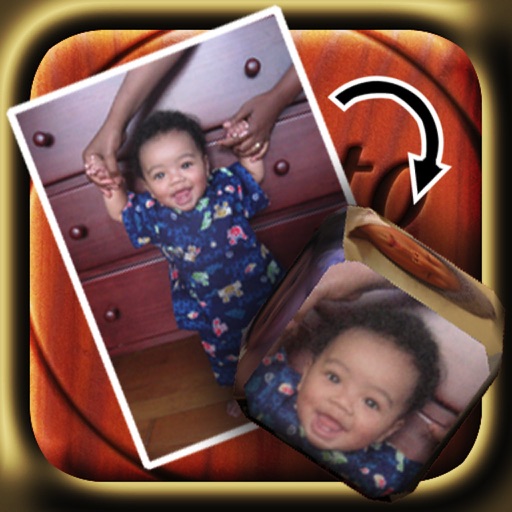
The app allows users to create custom 6-sided dice using photographs from their library or camera. Users can email their custom dice to friends or save and share them through iTunes File Sharing.
Take black and white photos with live preview. Use colored lens filters and professional conversion filters. Adjust contrast, brightness, and exposure in real time. Add film grain and black vignetting.
Create and join private photo galleries to share moments with friends, family, or coworkers. Upload, comment, and view photos in real time. Collaborate on events by allowing group contributions and instant sharing.
View photographs with map locations and GPS data. Explore camera settings and AR features. Access an online gallery with new photo notifications. Purchase prints in-. Share images directly.
The app provides practical tips, tricks, and tutorials for portrait and beauty photography. It shows users how to use lighting setups to capture photographs, featuring examples from photographers.
Take photos with real-time chroma key and adjust brightness and color temperature. Edit images using eraser, crop, and zoom tools. Share photos on Instagram, Facebook, and other platforms. Tag with # to join a global gallery.
Tag with GPS data including location, address, date, time, coordinates, altitude, weather, and temperature. View map overlays and share geotagged images with precise location details.
View from photos and videos including pixel dimensions, orientation, and EXIF data. Display technical details like resolution and file format. Access information regardless of camera brand or source.