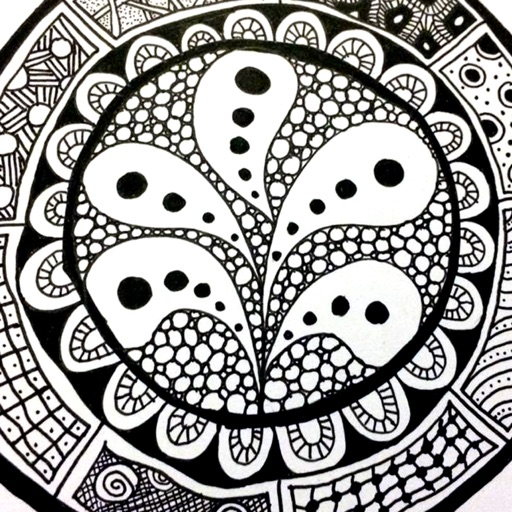
The app provides a reference guide for doodlers, featuring 100 tangle patterns with drawing instructions. Users can browse a gallery of creations and share their own drawings.
by Lightwood Consultancy Ltd★ 4.135 ratingsReference$2.99Data updated 2026-11-11
Helps students memorize grammar patterns and stylistic transforms. Provides rules and example sentences with underlined and highlighted key parts. Allows users to practice applying transformations to sentences.
The app provides a 3D pixel editing experience for creating sculptures, icons, and game levels. It offers tools for users of all ages, including layering and keyframe animation for more complex creations.
The app supports Apple’s human interface guidelines with gestures and touches for draft manipulation. It allows users to create and edit threading, treadling, and tieup for their drafts with multiple edit functions.
The app allows users to draw and design with various line weights, colors, and types. It includes tools for adding text, different paper grids, and saving or exporting drawings as pictures or PDFs.
Create knit patterns using vector symbols for increases, decreases, textures, cables, and variable symbols. Edit designs with tap and paint modes, undo/redo, and row/stitch numbering.
Schedule 1-on-1 consultations with psychologists, career coaches, and financial advisors. Track personal and professional goals. Access guided meditation and stress relief exercises. Monitor health metrics and set reminders for wellness routines.
Provides construction information with over 1,500 illustrations, 100 guides on energy-efficient building, and 30 calculators. Users can access topics like construction safety, woodworking methods, concrete placement, and project planning.
The app is a drawing, animation, and tilemap application. It allows users to create spritesheets, edit frames, and export creations to PNG, animated GIF, and CSV files.
Processes and edits by removing empty lines, extra spaces, converting tabs, and fixing quotes. Users can from emails, documents, or other sources. Perform quick adjustments with simple taps.
Manage work schedules by adding custom shifts and tracking holidays. Set vacation days and view views. Adjust work shifts and receive alerts for upcoming tasks. Sync with business calendars and export schedules.
Learn knot-tying and silk styling through interactive video tutorials. Adjust playback speed, skip, and loop lessons for practice. Access step-by-step instructions, tips, variations, and photos to guide your creations.
Explore time and space through cyclical patterns and metaphysical principles. Track the rise and fall of Heaven and Earth over time. Navigate the movement of Wind and Water through spatial dimensions.
Track projects with detailed notes and multiple row counters. Import patterns from PDF or images. Save reference photos and yarn details. Archive completed projects. Supports multiple languages and remembers last viewed section.