Photos to save storage space. Adjust JPG compression strength and image size reduction. single images, multiple files, or entire albums. Preview compressed results before saving.
Add multiple decorated texts to photos with various fonts and styles. Adjust color, size, and font name. Add outlines and shadows. Resize, rotate, and position texts freely. Save edited photos directly.
Allows users to or unblur specific areas of an image. Select photos from the gallery or capture new ones with the camera. Apply effects and save edited images to the gallery. Share blurred photos on social media platforms like Facebook and Instagram.
Blur faces or sensitive information with a single tap. Apply masks, adjust blur intensity, and resize or rotate blurs. Preview, save, and share edited photos. Protect privacy by blurring documents, license plates, or unwanted elements.
The app offers tools for photo editing, including frames, layouts, and effects. Users can adjust color balance, brightness, contrast, and saturation, and apply sharpening or blurring.
Create custom images by adding photos as backgrounds. Touch to draw dots and customize designs. Save creations and share via social media or messaging.
Create mosaic or effects on videos. Choose from four types. Adjust area by dragging or pinching. Modify blurriness with swipe gestures. Apply effects to specific sections in timeline mode.
Edit photos with filters, cropping, and adjustment tools. Add text, stickers, and borders. Create collages and share directly. Export in multiple formats. Sync with social media platforms.
Create photorealistic art mockups using customizable frames and advanced cropping tools. Choose from 500+ HD room interiors to stage . Add text or watermarks and export images for personal or commercial use.
Documents, photos, and web pages directly from iOS devices. Select files from apps or cloud storage. Customize settings like layout, paper size, and duplex printing. Connect to wireless printers instantly.
Edit photos with 25 tools and effects. Adjust brightness, contrast, and saturation. Save progress and undo changes. Share edited photos to social networks. Preserve EXIF data and edit geo-location. Export high-resolution images up to 3000x3000.
Cut out objects from photos using automatic and manual tools including lasso, instant alpha, and eraser. Refine hair and edges for detailed results. Change backgrounds and apply effects to edited images.
Earn rewards by making purchases at Cakeshop locations. Redeem points for discounts or free items. Track points and view transaction history. Manage account details and update personal information.
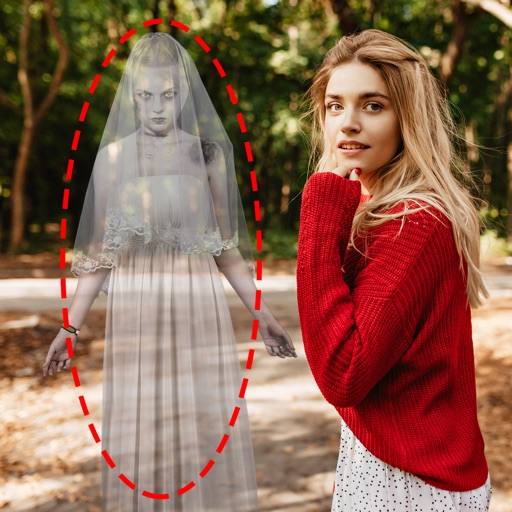
Edit photos by adding ghosts, monsters, or zombies from 62 options. Adjust transparency, color, saturation, brightness, and contrast for each creature. Position and resize creatures freely. Share finished photos with friends.
Create custom charts for crafts like cross stitch, bead weaving, knitting, and pixel art. Draw dotted images and design patterns with an intuitive touch interface. Export charts for use in projects.
Edit photos with brightness, contrast, and color adjustment tools. Apply over 1000 effects and filters. Add text, stickers, and animations. Share photos directly to social media or email. Export in various formats.
Create from photos or images. Add text to make . Customize with images, text, and other . Browse and organize in one view. Move between packs. Export sticker packs to files. Import previously exported sticker packs. Share with contacts.
Edit photos with crop, rotate, exposure, color, sharpness, and resize tools. Create grid collages and edit individual images. Access presets, clone tool, and fine curve adjustments for detailed edits. Export and share edited photos directly.