Write and organize notes in a interface with customizable formatting options. Save content in a standardized font for consistent appearance. Edit text directly within the without external tools.
Type text with an intuitive layout. Access predictive text and word suggestions. Support writing messages, stories, social media posts, and emails in . Includes user-friendly design for efficient language input.
Customize keyboard layouts with user-defined keys for letters, Greek symbols, math operators, arrows, and emojis. Organize keys into stack-based panes and switch between them automatically or manually.
Control Mac applications with a wireless trackpad and full keyboard. Navigate menus, adjust settings, and manage media playback without physical hardware. Supports multitouch gestures and no-configuration control for compatible apps.
Transliterate text into runes based on phonetic sound. Learn rune pronunciation and explore alphabets. Supports Elder Futhark, Swedish-Norwegian Fuþąrk, and Danish Fuþąrk. Enable system keyboard for typing runes in other apps.
AI-powered with built-in chat features for crafting social media posts, emails, and documents. Smart clipboard stores copied text for easy access. Quick swipe to share links or open saved items.
Customize with themes, layouts, and emoji sets. Add shortcuts and gestures. Enable predictive text and auto-correction. Share keyboard designs with others. Access a library of pre-designed .
Mongolian language input provides predictive text suggestions to increase typing speed by at least 30%. Includes optimized placement for frequently used characters. Offers pre-set phrases for common expressions.
Calculate mathematical expressions with infix notation, view full equations as they are typed. Customize themes to match personal style. Access via lock screen widgets. Use one-handed keyboard for larger devices.
Enable swipe gestures for faster typing. Activate the via the on-screen guide. Allow open access for sound and additional features. No user data is collected. Disable activation guide during setup.
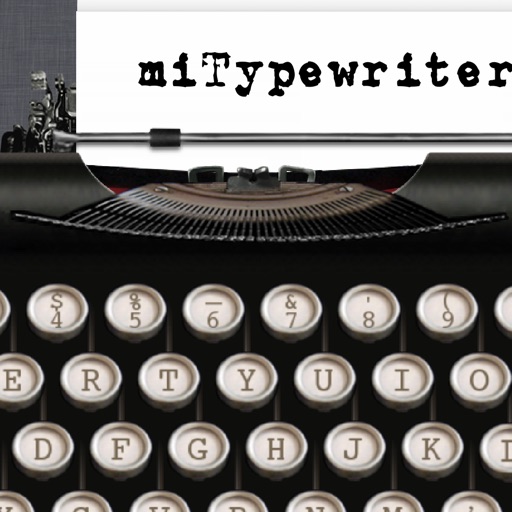
The app provides a realistic typewriter experience on the user's iPad. It offers features such as email by image or text, a backspace key, multiple fonts, keyboard layouts, and ink ribbon colors.
Type using an English through . Convert typed English words into script instantly. Supports accurate word conversion without needing exact English spelling. Allows users to input text efficiently.
The app provides a keyboard for typing Twi, Fante, Ewe, and Ga with proper alphabet and vowel accents. Users can select keyboard themes, use custom photos as themes, and translate English to Twi using the built-in dictionary.
Create and send GIFs and stickers with a curated collection of rare and creative animations. Search for GIFs using word references for specific expressions. Share content directly from the .
Type into the main area or tap custom buttons to trigger . Use Apple’s enhanced or premium voices via Settings. Supports Personal Voice, FaceTime, and phone calls. Read aloud with adjustable settings. Syncs with Accessibility features.
Customize keyboard appearance with themes, fonts, and design elements. Choose from pre-made or create custom layouts. Adjust colors, patterns, and visual effects. Apply changes instantly to the on-screen keyboard.