Scan documents with automatic edge detection and perspective correction. Process scans in colored, grayscale, or black/white formats. Enhance documents with noise removal and custom adjustments.
by Symfonies, Inc.★ 4.6129 ratingsProductivityFreeData updated 2026-09-08
Documents to create high-quality PDFs. Perform OCR to extract text. Sign and convert files to PDF. Share via email or cloud services. Includes automatic text recognition and secure privacy features.
Convert photos, receipts, and notes into professional PDFs. Automatically detect document edges, remove backgrounds, and straighten pages. Save as PDF or image formats. Share or email scanned documents directly.
Edit PDF files by filling forms, highlighting text in multiple colors, and annotating sections. Save and share modified documents. Scan physical documents into PDFs using the built-in camera scanner.
And sign documents or PDFs. Upload files from device storage or photo gallery. Edit scanned documents with background removal. Create electronic signatures manually or via custom input. Save and share signed documents.
Documents, receipts, and notes to save as PDF or JPG files. Use AI-powered live scanning and translation features. Manually or automatically and organize multiple pages into a single file. Switch between camera modes for different scanning needs.
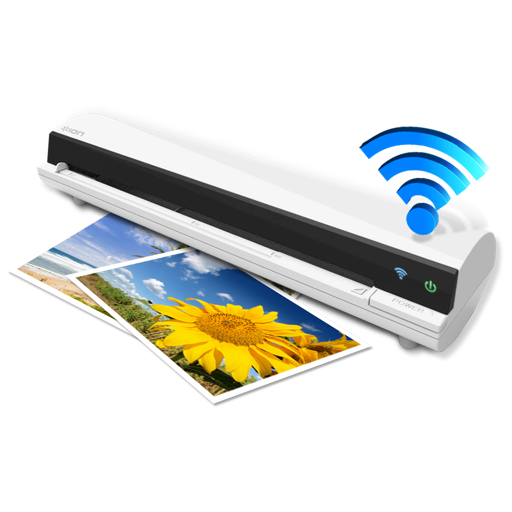
The app works with the ION Air Copy hardware, a portable Wi-Fi scanner. It scans photos, receipts, business cards, notes, and documents up to US Legal size directly to a Mac, then shares them via email or social networking.
Convert photos to PDFs with one tap. Auto-crop images and adjust brightness. Share PDFs directly or save to device. Edit text and annotations within PDFs. Organize and manage files in a cloud storage system.
Scan documents using your iPhone or iPad camera for high-quality results. Automatically detect edges and correct perspective. Sign and share scanned files instantly. No subscriptions, watermarks, or data tracking.