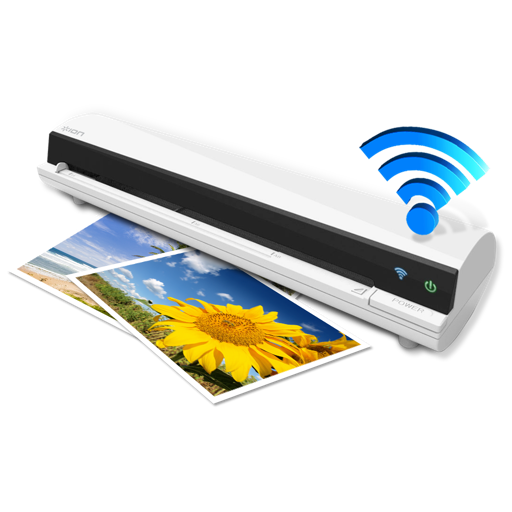
The app works with the ION Air Copy hardware, a portable Wi-Fi scanner. It scans photos, receipts, business cards, notes, and documents up to US Legal size directly to a Mac, then shares them via email or social networking.
by Ion Audio, LLC★ 0.00 ratingsProductivityFreeData updated 2026-10-10
Documents, receipts, IDs, and books into high-quality PDFs. Save and share files securely. Edit scans with cropping and brightness adjustments. Organize and access scanned documents from your device.
Scan documents into PDF, JPG, Word, or TXT formats. Use OCR to recognize text automatically. Save and share files directly. Organize scanned documents in folders. Edit and annotate scanned pages.
Scan documents and photos using the device's camera. Select a from a list of compatible models. directly via AirPrint without needing additional setup. Share printed documents via email or messaging apps.
Scan photos wirelessly, create slideshows with voice
Create slideshow movies with voice and text overlays. Add voice recordings from yourself or others. Share finished movies directly from the . Scan photos wirelessly using the FF-680W scanner.
Allows users to scan documents, receipts, business cards, and whiteboards by pointing the camera. Automatically rotates, crops, and enhances scans for clarity. Save or share scanned documents via email or text.
Scan and convert documents into PDF, JPG, DOC, XLS, PPT, or TXT formats. Edit scanned text with AI-powered recognition. Organize and manage files with cloud integration. Share documents directly via email or messaging apps.
Documents and receipts with automatic border detection and perspective correction. Adjust color, orientation, and resolution settings. Save as high-resolution images or multi-page PDFs. Edit borders and apply filters.
Documents using camera for invoices, receipts, IDs, and certificates. Edit scans with cropping, brightness, and contrast tools. Export as PDF or image. Share via email, cloud, or messaging.
Documents into PDF, JPG, Word, or TXT formats using OCR to extract text. Edit, sign, save, and share files directly. Store documents securely on the device without external storage.
Scan documents, receipts, books, photos, and whiteboards into high-quality PDFs or JPEGs. Name, organize, and send files. Scan multipage documents quickly and accurately. Share scans directly to email or cloud services.
Scan and convert documents into high-quality PDFs. Recognize text from receipts, notes, IDs, and certificates. Summarize, polish, and learn from document content. Share files via email or cloud services.
Scan documents, receipts, IDs, and more to convert them into PDFs. Organize files in folders and share them via email or cloud services. Store documents securely and access them from any device.
Photos, videos, and files wirelessly via AirDrop. Receive and view shared content directly. Scan documents and send them as scanned files. Send and receive files without cables or complex setup.
Scan and convert physical documents into digital files using OCR technology. Capture text, business cards, notes, and receipts. Save and organize scanned content for future reference. Share or print scanned documents directly.
Scan documents instantly high-quality PDF, JPEG, and PNG output. Edit scans, add text, and sign digitally. Share files via email, cloud services, or messaging. Organize and store scans in folders for easy access.
Scan documents, receipts, books, photos, and whiteboards into high-quality PDFs or JPEGs. Name, organize, and send files directly. Supports multipage scanning and integrates with cloud services.
Scan QR codes, barcodes, and other formats like Data Matrix and PDF417. Decode information quickly without ads or data collection. Save scanned results and share them directly.
Documents, photos, receipts, or other materials into clear, sharp images or PDFs. Correct perspective, remove shadows, and adjust colors. Save, email, print, or cloud-store scans. Combine multiple scans into one PDF using batch mode.
Convert documents to PDFs by scanning with the device . Edit, annotate, and share scanned files. Organize and manage documents within the . Save scans directly to cloud storage or email.
Scan documents using iPhone camera for accurate and fast results. Edit and share scanned files as PDF or JPEG. Store documents locally on device without third-party access.