Use camera to magnify objects. Switch between front and back cameras for mode with light bars. Tap to freeze image and adjust brightness and contrast. Pinch to zoom, rotate, and pan. Save final image to Photos.
The app allows users to enlarge photos using a virtual magnifying glass. Users can tap and move their finger over an image to examine details such as sharpness or hidden elements.
Store and organize photos and videos with secure access options. Set PIN, alphanumeric, or gesture-based passwords. Create multiple user accounts for content segmentation. Enable SnoopStopper™ to prevent unauthorized access.
Manage files with drag-and-drop, copy, paste, and folder creation. View documents, play audio/video, and edit text. Transfer files between devices and share via links or messages.
Allows repeat and shuffle functions, displays album art and music information, continues playback when locked or in the background, and supports iPod controls. Edit song metadata including name, album, artist, and cover image.
Resize images in pixels, millimeters, centimeters,
Resize images by specifying dimensions in pixels, millimeters, centimeters, or inches. Maintain aspect ratio by linking width and height fields. Save, email, print, or share the resized .
Create large tiled banners from photos for Instagram. Adjust size, add photos, and scale or move images. Save tiled banners to your album and upload to Instagram.
Store and manage private photos and videos with password lock, Touch ID, and album lock. Enable cloud storage for secure backup. Disable Touch ID and customize icons for added privacy. Encrypt files using triple encryption technology.
The app encrypts and hides pictures and videos using 128 bit AES encryption. It allows users to zoom, rotate, and un-hide media, and offers features like a fake PIN and intruder alerts.
To with a days timer and animated characters that grow as the date approaches. Display on custom or included background images. Choose from 12 built-in haunting soundtracks or play personal music. Automatically loop songs or select individual tracks.
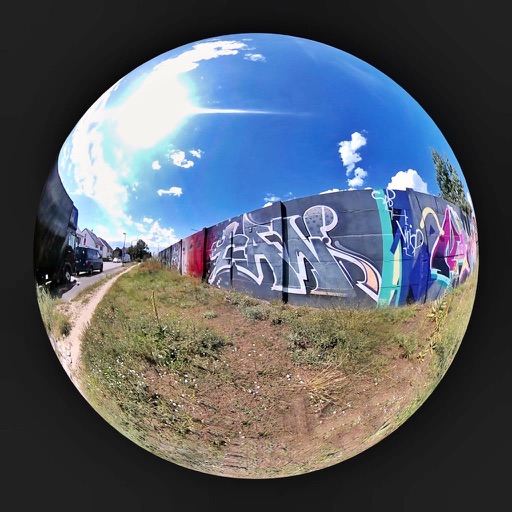
Browse and select images from global locations. Zoom and rotate photos. Save images to your album. Access virtual 360° panoramas of Berliner Walls. All content is royalty-free and requires an internet connection.
Track days until with a timer. View animated characters that grow in size as approaches. Use custom background images or personal photos. Characters animate off the screen when nears.
With filters, cropping, and adjustment tools. Apply beauty enhancements and double exposure effects. Use color splash and resize images. Access frames and story templates. Change resolution and export in multiple formats.
Intelligent : Outline the subject to automatically remove it from the photo. Save images to system album or application album. Edit saved images directly within the .
Add , Beards, Christmas Trees, custom text, and Claus to photos. Adjust hat size and placement. Use zoom for detailed edits. Erase parts of . Export edited photos.
Control LED display mask with text input and animation effects. Use AI to generate celebrity faces or create custom graffiti. Import photos or album images to display on the mask. Access various animations and effects for different scenarios.
Edit images by cutting out unwanted areas with the lasso tool. Use the magnifier and eraser for precise adjustments. Revert changes and undo errors. Zoom, rotate, and move the foreground. Search Flickr for backgrounds or upload your own.