The app offers a powerful, beautiful, and simple pixel editing experience for professionals, hobbyists, and newcomers. It features a clean interface, responsive drawing, unlimited undo, and a robust toolset for creating pixel art.
by Studio Mee★ 4.25 ratingsPhoto & Video$2.99Data updated 2026-10-20
The app offers a simple and clean interface with intuitive tools for pixel art creation. It features freehand drawing, lines, boxes, ellipses, and flood-fill, along with gesture controls for precise editing.
Create digital art with 105 tools including pens, pencils, and brushes. Import and edit photos. Add text and rotate elements. Customize brush settings. Use customizable canvases. Save and share artwork.
Animated movies using frame-by-frame . Import and edit vector graphics. Access tutorials for learning techniques. Export animations in various formats. Collaborate with others through community features. Adjust timing and add sound effects.
Backgrounds from images with precise touch or auto-target tools. Maintain transparency for use in apps like Keynote or Pages. Edit pixels for accuracy and erase or restore specific areas.
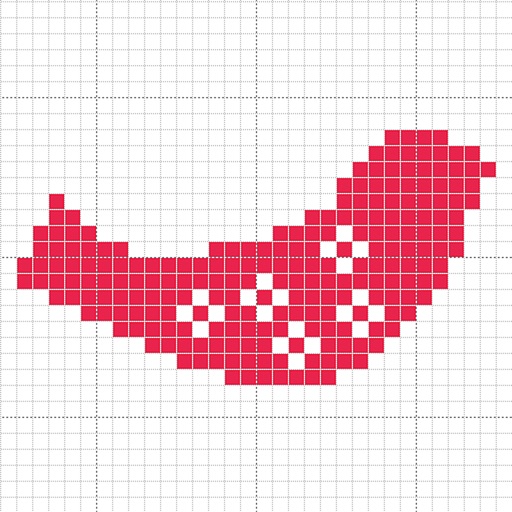
Create custom charts for crafts like cross stitch, bead weaving, knitting, and pixel art. Draw dotted images and design patterns with an intuitive touch interface. Export charts for use in projects.
Create 3D pixel art and voxel art using a full-featured voxel editor and pixel art editor. Use dozens of tools and brushes for block building, including pencil, bucket fill, and magic. Share creations via photos and videos.
Create drawings and sketches on customizable canvas backgrounds. Record sessions as videos. Share creations with friends. Choose from preset color palettes for different coloring styles.
Create photomontages by combining elements from multiple images. Select and move objects between photos. Add text and effects. Export and share final compositions.
Create vector art using Bézier tools and Apple Pencil. Convert sketches or photos to SVG format. logos, icons, illustrations, and UI assets. Export vector files for production use. Refine curves and edit vector drawings directly.
Edit photos and videos with like Analog Noise, Digital Noise, and VHS Noise. Apply such as Color Aberration, Datamosh, and Pixel Sorting. Save edited content as animated GIFs. Export in 4K resolution.
Create art with a simple interface. Tap to draw and access basic tools for designing SNS icons, game skins, or craft patterns. Export artwork for use in perler beads, cross-stitch, or knitting projects.
Edit photos by converting them to black and white while retaining selected details. Use multi-touch gestures to paint areas in black and white or restore original colors. Zoom in and out with two-finger pinching. Adjust and export edited images.
Edit photos with AI-powered one-tap tools and auto-collage features. Create collages and design layouts using professional templates. Apply artsy effects to turn photos into paintings, cartoons, or sketches.
Edit photos and videos into high-quality drawings, sketches, and illustrations. Apply pencil, charcoal, or technical filters. Enhance videos with advanced filters. Export edited content in various formats.
Allows users to or unblur specific areas of a . Apply Gaussian, Zoom, or Motion effects. Use Mosaic effects like Pixel, Crystalize, Dots, or Glass. Zoom and rotate for detailed editing.
Take multiple photos with customizable delays ranging from 3 to 60 seconds. Use countdown audio for timing. Choose multiple snap options. Control flash settings. Preview photos and share to social media. Save images directly to the gallery.