Read PDF files with single-page, double-page (left-to-right) and double-page (right-to-left/comic) modes. Automatically save progress and access recent files. Zoom in or out for different screen sizes. Features a clean interface with no distractions.
by HSIA-TING YEH★ 0.00 ratingsUtilitiesFreeData updated 2026-09-06
Scan documents by automatically detecting the area or manually snapping photos. Adjust borders, select color modes, and fine-tune brightness. Create multi-page documents and organize files effortlessly.
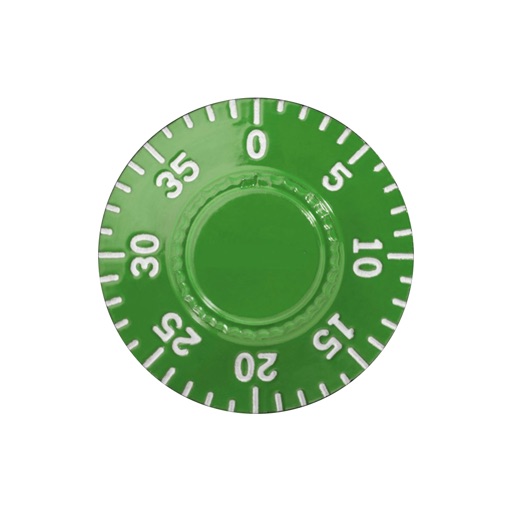
Practice opening lockers with a right-left-right sequence. Learn correct direction for each combination number. Track progress and repeat exercises to improve speed and accuracy.
Create high quality PDFs from photos without watermarks or page limits. Share files directly. All processing occurs locally on your device. No registration required.
Use AR technology to measure far and near pupillary distance without additional tools. View left and right measurements for distance and near viewing. Requires iPhone X or newer with Face ID support.
Read books and comics in vertical or horizontal layout. Adjust text size and line spacing for comfort. Support left and right page opening. Sync reading progress across devices. Import and organize personal library.
Organize photos by swiping left to delete or right to keep. Identify duplicates, blurry images, screenshots, and unwanted files. Quickly clean gallery without scrolling or folder navigation.
Convert PDFs to images and images to PDFs. Merge multiple PDF files into one. Edit text and annotations. Export in various formats. Share and organize documents directly.
The app organizes and includes 540 radicals from Shuowen Jiezi, totaling over nine thousand characters. It displays and searches using Taiwanese phonetic symbols and offers multiple search methods including character decomposition and stroke order.
Exchange phone numbers, LINE, and WhatsApp contact info directly with matches. Chat in real-time without waiting for replies. View profile details and match based on data analysis. Report and block users for safety.
Allows users to digitize documents via camera or file import. Edit PDFs, add signatures, and organize files into folders. Convert documents to PDF, share scans, and manage digital files efficiently.
Convert documents, photos, and other files into PDFs with one tap. Merge multiple files into a single document. Edit text, add watermarks, and adjust page layouts. Save and share PDFs directly from the .
Read PDF files stored locally on your device. Open password-protected documents. Choose display modes including single page, two-page, book mode, or full-screen. Load large PDFs quickly with advanced technology.
View two different albums side by side or compare photos directly. Swipe left/right to navigate, pinch to zoom, and double-tap to enter full-screen mode. Create combined side-by-side images and access detailed EXIF data.
Scan documents into PDF files with auto-edge detection and multi-page support. Share scanned documents via email, text, AirDrop, and other messaging apps. Export in PDF format and adjust image quality settings.
Allows users to declutter photo galleries by swiping left to delete duplicates and blurry images or right to keep them. It also enables contact management by removing duplicates and outdated entries.
Scan documents quickly using single or batch mode with phone camera. Automatically crop and enhance scans for high-quality PDF or JPG files. Save and share scanned documents directly.
The app offers two file types: multi-page files for organizing knowledge and free-form files with an infinitely large canvas for creativity. It supports PDF imports and provides tools for drawing geometric shapes, making it suitable for various uses.