Documents by taking a photo, selecting from the photo gallery, or choosing a file. Adjust settings for clarity. Share scanned files via email, messaging, or cloud storage. Organize and store documents in folders. Export in PDF or image formats.
Scan paper documents, passports, ID cards, books, invoices, images, receipts, or notes. Use smart edge detection and auto-focus for clear scans. Convert to PDF or edit text directly. Manage and share scanned documents securely.
Scan documents, receipts, and images using the camera or photo library. Convert images to PDF instantly. Edit scans with tools to crop, rotate, enhance, and adjust brightness and contrast. Organize files within the .
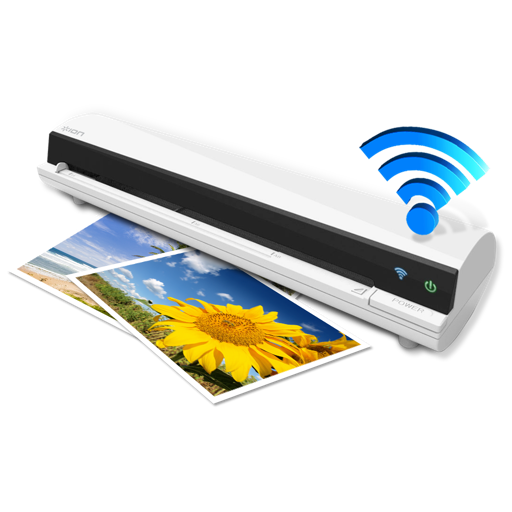
The app works with the ION Air Copy hardware, a portable Wi-Fi scanner. It scans photos, receipts, business cards, notes, and documents up to US Legal size directly to a Mac, then shares them via email or social networking.
Send files to printers via Wi-Fi or cloud storage. Scan documents and photos with high-resolution settings. Manage jobs and view scan history. Support multiple wireless printer models. Share scanned documents via email or messaging.
Scan documents using camera or file import. Edit PDFs with text extraction and formatting tools. Convert files to PDF or image formats. Share scanned documents via email or cloud services. Apply OCR to extract text from images.
Shanghai Zongchong Information Technology Co., Ltd
Scan and export high-resolution PDFs
Converts photos of documents into high-resolution PDFs using AI-enhanced scanning. Automatically sharpens text and lines, even in low light or with shadows. Export as PDF or image formats. Share scanned documents directly.
Digitize documents like contracts, receipts, and notes into PDF or JPEG files. multiple items at once and combine them into a single PDF. Adjust image clarity and crop edges for better readability. Export and share scanned files directly.
Convert paper documents, receipts, and notes into PDFs using the camera, photo library, or Files . Scan both sides of an ID for a single-page PDF. Organize and store scanned files securely on your device. Export and share PDFs directly.
Scan documents, receipts, and notes using OCR to extract text. Save scans as PDF or JPEG. Share files directly or export text for reuse. Organize scanned items into folders. Edit and annotate scanned images.
Edit PDF documents with annotations, text formatting, and page rearrangement. Scan physical documents into searchable PDFs using OCR. Convert PDFs to editable formats like Word and Excel. Organize files with folders and search functionality.
Convert photos and images into PDF files. Group multiple images into one document. Edit PDFs with password protection features. Convert between image formats and PDF.