Edit photos with AI style transfer for different art effects. Apply 12+ professional filters. Save high-resolution edits to the gallery with one tap. Use a clean, ad-free interface for simple image styling.
by 玉猛 周★ 4.832 ratingsLifestyleFreeData updated 2026-09-06
Apply filters to photos and videos for enhanced visuals. Choose from hundreds of professionally crafted filters organized by category such as Black & White, Selfie, Food, and Vintage.
Edit photos with cropping, resizing, and basic adjustments. Apply filters and effects. Add text and stickers. Share edited images directly. No subscription required.
Try on realistic using real photos. Select from various styles and adjust to fit your face. Share the result with friends for feedback. Edit and refine the look before finalizing.
Convert photos into paintings with customizable brush styles and color palettes. Adjust detail, intensity, and artistic style settings. Save or share artwork directly to social media.
Upload photos to generate AI-powered concepts. Choose room type and style preferences. View personalized ideas for different layouts. Save favorite designs for future reference.
Apply -style filters inspired by to photos and videos. Adjust color tones and grain for vintage effects. Save and share edited content directly. Sync with social media platforms.
Edit photos with advanced filters, dynamic effects, and precise adjustment tools. Add text, stickers, and overlays. Export in various formats and share directly to social media or cloud storage.
Edit photos with enhancement tools, effects, and frames. Add stickers and overlays. Crop, rotate, and adjust brightness, contrast, and saturation. Remove blemishes and red eye. Apply color splash and sharpen or blur images.
Upload photos of your space to generate ideas. Experiment with different styles, colors, and decor items. Preview virtual furniture arrangements and color schemes. Adjust layouts and materials for personalized recommendations.
Set wallpapers as home or lock screen with one tap. Save favorites for quick access. Access 4K and HD wallpapers offline. View high-resolution images optimized for any screen size.
Edit photos with facial adjustment tools for eyes, nose, lips, eyebrows, and jawline. Retouch skin, whiten teeth, and remove dark circles. Apply makeup with customizable options. Adjust backgrounds and export in multiple formats.
Take photos with a variety of film-style filters applied randomly. Adjust brightness, contrast, and saturation. Share edited photos directly to social media or messaging apps.
Import photos of clothes and accessories to build a digital closet. Swipe to explore combinations using existing and desired items. Save and share favorite looks. Track seasonal trends and receive style tips based on your wardrobe.
Edit photos by applying -themed frames from a collection. Select images from the camera or gallery. Add text to personalize messages. Share edited photos directly.
Edit photos using filters designed to mimic the look of film taken in . Adjust brightness, contrast, and color tones. Save and share edited images directly.
Photos with filters, adjustments, and effects. Apply blur, focus, and rotation. Add text, stickers, and draw on images. Crop, resize, and enhance photos. Remove blemishes and whiten smiles. Save or share edited images.
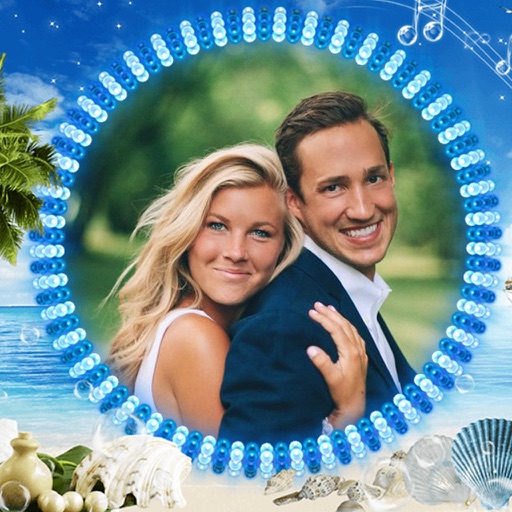
Edit photos by selecting from the gallery or using the camera. Apply various frames and effects. Adjust position, size, and angle of images. Save, share, or upload photos to social networks like Facebook and Twitter.