Edit photos with AI style transfer for different art effects. Apply 12+ professional filters. Save high-resolution edits to the gallery with one tap. Use a clean, ad-free interface for simple image styling.
by 玉猛 周★ 4.832 ratingsLifestyleFreeData updated 2026-09-06
Convert documents to PDF with one-tap scanning. Edit text, add annotations, and secure files with encryption. Manage and organize files across devices. Share and email documents directly from the .
Edit and style baby, pregnancy, and child photos with customizable backdrops and filters. Add text overlays and adjust lighting. Save and share final images directly.
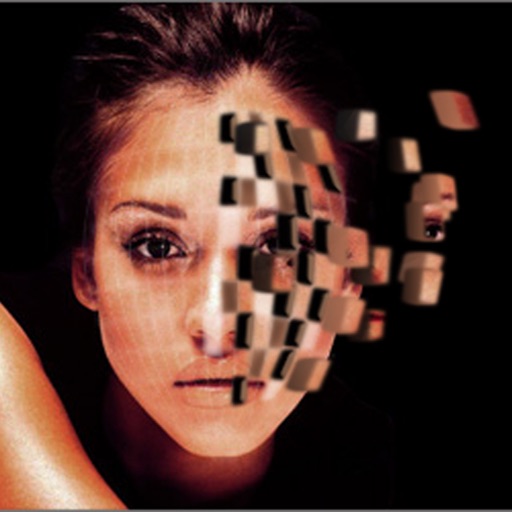
Retouch portraits and selfies with advanced editing tools. Adjust skin tone, remove blemishes, and enhance details. Add artistic filters and effects. Save and share edited photos directly.
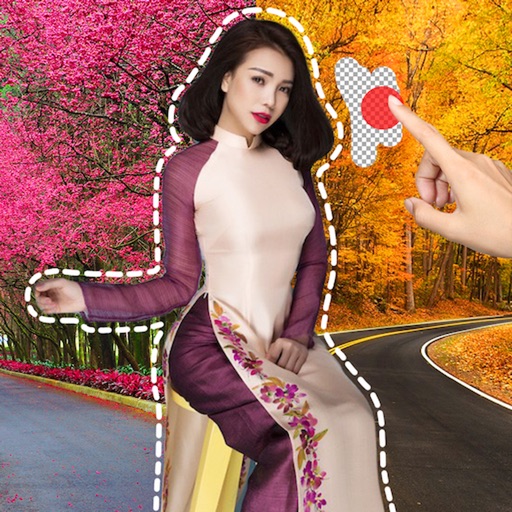
Remove image backgrounds using AI for transparent effects. Edit photos by cutting specific areas manually. Add new backgrounds, text, and stickers. Create profile pictures with customizable options.
Create and manage an outfit gallery with drag-and-drop styling. Virtually try on clothing items using AI-powered fitting. Receive style suggestions and feedback from AI stylists. Save and share outfit ideas with customizable tags and descriptions.
Edit selfies and photos with AI retouching, body shaping, and beauty enhancements. Adjust skin tone, remove blemishes, and enhance details. Save and share edited images directly.
Create and edit drawings using various tools like Pen, Line, Arrow, Rect (Stroke/Fill), Ellipse (Stroke/Fill), Eraser, and Text. Choose from multiple colors including Black, Red, Green, Blue, Yellow, and more. Save or share drawings directly.
Apply photo to enhance images. Adjust brightness, contrast, and saturation. Add to photos and videos. Share edited content directly to social media platforms.
The app offers numerous standard layouts and artistic filters, including B&W and vintage effects. Users can adjust exposure, contrast, saturation, and white balance for their photos.
Convert photos into -style portraits, avatars, caricatures, and minimalistic art using AI. Edit generated images with filters, adjust details, and export in various formats. Share creations directly from the .
Create videos from text prompts by describing scenes, styles, and moods. nimations from uploaded images with added faces or celebrities. Edit and export final outputs.
Allows users to trace images from photos or built-in libraries. Features include applying filters to enhance accuracy, selecting and adjusting images, and creating one-of-a-kind drawings on paper.
The app automatically detects teeth for whitening and retouching photos. It offers tools to adjust smile appearance and lip shape, along with an object remover and photo filters.
Create and paint images with customizable color palettes and filters. Apply effects to enhance visuals. Share finished artwork on social media platforms. Access all features with ad-free experience through subscription options.
Apply with a wide range of filters, effects, and backgrounds. Adjust skin tone, brightness, and contrast. Add stickers and text. Share edited selfies and videos directly. Sync with social media platforms.
Create collages using up to 15 photos with customizable layouts. Adjust size, position, and rotation. Crop with various proportions. Convert photos to square formats with blur, color, or tile backgrounds. Apply filters, rotate, flip, or clip photos.
Filters, adjustments, and effects. Apply blur, focus, and rotation. Add stickers, text, and on images. Crop, resize, and enhance . Remove blemishes and whiten smiles. Save or share edited images.
Customize device wallpaper with high-resolution images from categories like nature, space, and abstract designs. Select single or paired . Apply filters and adjust brightness for optimal display. Share favorite with others.
Add , Beards, Christmas Trees, custom text, and Claus to photos. Adjust hat size and placement. Use zoom for detailed edits. Erase parts of . Export edited photos.