Measure acceleration, orientation, and motion with built-in sensors. Record and analyze real-time data for experiments. Detect and generate sound tones. Visualize audio waveforms. Export measurements and graphs for scientific use.
Analyze frequencies with a real-time display. Adjust and visualize sound levels across different frequency ranges. Export analysis data and compare signals for accuracy. Calibrate equipment for optimal performance.
Analyze in real time with octave band and FFT measurements. Visualize frequency spectra and measure sound levels. Export data and compare measurements across sessions.
Measure sound levels with real-time precision. Analyze harmonics using multichannel FFT with adjustable parameters. Display graphical representations of audio data. Utilize AI to identify sound sources and analyze environments.
Measure sound pressure levels precisely and easily.
The app transforms an iOS device into a sound level meter, measuring sound pressure levels. It offers features like Apple Watch support, Health app integration, and frequency analysis tools.
Measure levels in decibels using the device’s microphone. Display real-time audio frequency and dB readings. Apply filters for specific frequency and dB ranges. Share measurements via Messages, Email, WhatsApp, Notes, and other apps.
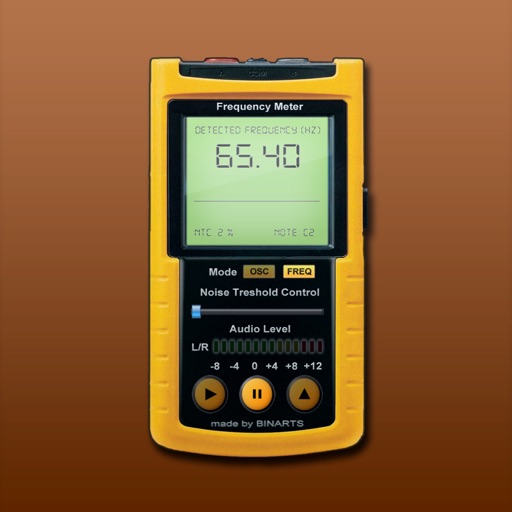
Measure and analyze audio frequencies with real-time scanning from internal or external microphone. Display audio level, noise level, range, current , oscilloscope, and spectrum analyzer. Calibrated for accuracy between 15 - 22500 Hz with +/- 0.
Visualize audio in real time with customizable backgrounds and logos. Export visualizations as videos. Select and analyze audio files directly on phone or Mac. Adjust settings to modify animation styles and layouts.
Control volume and select inputs for Yamaha Bars. Play audio files from phone or NAS via Wi-Fi. Adjust volume for wireless surround speakers and subwoofer. Set up Alexa voice control.
Visualizes audio signals in real time with a spectrum display. Connects to microphones or hi-Z devices via mini-jack. Measures sound frequency and amplitude. Adjusts visual settings for different sound sources. Displays real-time audio analysis data.
Real-time analysis displays waveform and amplitude simultaneously. Users can switch between portrait and landscape modes. Options to configure waveform and display. Adjustable FFT size and window function for precise frequency analysis.
Set a custom tempo with BPM input. Choose between normal, repeat, and program modes. Adjust beat divisions to eighth, triplet, or sixteenth notes. Use realistic pendulum animation and natural sounds. Start and stop timing with simple controls.
The app offers chromatic instrument tuning and pitch pipe functionality. It tunes acoustic or electric guitar, bass, bowed strings, woodwinds, brass, piano, tympani, and other instruments using the device's microphone.
The app analyzes audio input in real-time using FFT. It displays the frequency spectrum with options for graph scale, FFT window, decay time, and amplitude offset.