Calculate prices using entered and quantity. Compare up to six items simultaneously. Input values as numbers or formulas. Adjust for shipping fees, service fees, item quantity changes, and discounts. Export results for further analysis.
View previous calculation results and edit entries by selecting numbers or symbols. Recalculate expressions for error correction. Import past results into new calculations. Add remarks to important records.
Performs X, Y, R radius calculations and theta measurements. It includes -specific functions for ducting offsets and angle computations. Features dimensional math, geometry, and trigonometry tools for precise construction calculations.
The app offers scientific functions accessible by swiping between exponents, logs, and sinus functions. Users can correct entries with a backspace key, copy and paste numbers, and customize backgrounds and digits.
Create and customize for cross and pixel art. Set grid size up to 1,000 x 1,000. Choose display formats including symbol, fill, and . Use rulers and context menus to copy, move, flip, or clear elements. Duplicate pages and select starting positions.
Access over 50 inputs in portrait mode. Save calculation history until the is closed. Edit, copy, and paste calculations from history or output. Paste clipboard content directly into the .
Performs basic and scientific calculations. View and share calculation history. Switch between landscape and portrait modes. Choose from customizable themes to personalize the interface.
Classic performs addition, subtraction, multiplication, and division. It provides audio feedback for calculation results. Displays results instantly on the screen. Swiping down shows a history of previous calculations.
Calculate based on currency pair, risk percentage or amount, and stop loss in pips. Supports all major currency pairs and crosses. Save previous calculations for quick reference. Adjust inputs for precise trading strategies.
Calculate tips and split bills accurately. Scan receipts to extract total amounts. Divide costs among multiple people. Choose preset tip percentages or set custom amounts. Save and review past calculations.
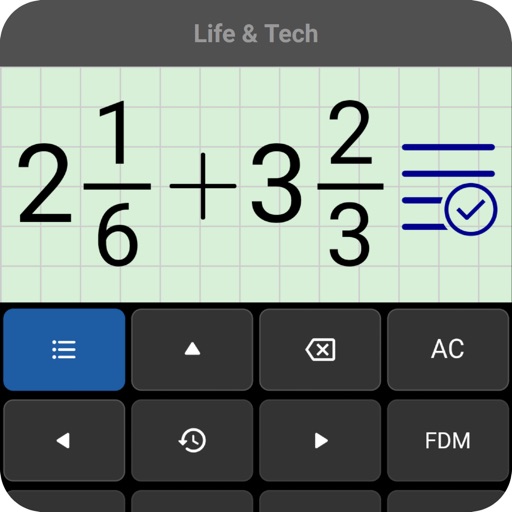
Perform calculations by entering expressions naturally. Receive step-by-step solutions and results in , mixed , or number format. Simplify fractions, convert between formats, and calculate percentages, powers, roots, and logarithms.
Perform complex mathematical calculations with up to 15 digits of decimal precision. Handle large numbers without ellipsis. Save and reuse calculation equations. Access calculation history even after closing the .
SFX- performs basic arithmetic operations and allows calculations with a fixed constant. It includes non-volatile and volatile memory storage. It supports fraction and percentage calculations, linear regression, and statistical functions.
Calculate sales tax and discounts with percentage-based equations. View calculation history for reuse. Adjust tax settings via swipe. Customize rounding preferences. Choose from multiple color themes. Perform basic arithmetic operations.
Calculate sides and angles for right-angled and scalene triangles. Access a reference guide for formulas. Perform precise calculations using known values.