
PicMix Lite
Voxeloid Kft.
Merge photos, edit with brush, create art
Merge multiple photos into a single artwork by selecting and combining image sections. Remove or re-add parts using finger painting techniques. Adjust brush settings for precision.

Showing 41–60 of 1,000 ranked alternatives.
Voxeloid Kft.
Merge photos, edit with brush, create art
Merge multiple photos into a single artwork by selecting and combining image sections. Remove or re-add parts using finger painting techniques. Adjust brush settings for precision.

yasuki watanabe
Convert photos into paintings
Convert photos and videos into paintings or hand-drawn animations using AI. Apply sketching or painting styles with adjustable textures. Save the artwork process as a video. Choose from five standard art tools.

Little Marvel Software Inc.
Explore artworks from around the world
Explore artworks from 3,000 artists across 100 countries. Browse paintings, drawings, and other media organized by artist, style, genre, period, and museum. Access concise artist bios, artwork context, dates, and provenance information.

Lumen Digital Ltd.
Save and export custom wallpapers
Create unique wallpapers tailored to your preferences. nd save custom images for your device homescreen. Export high-resolution files for various devices including Apple Watch and 5K displays. Choose from 20 different styles.

La Fappbrica S.A.S. de C.V.
Apply distortion to create illusions
Allows users to transfer images to a surface using a . Features include square divisions, perspective distortion for anamorphic images, and support for both iPhone and iPad with Dark Mode. Users can apply distortion to images and export them for .

Voxeloid Kft.
Merge photos, edit layers, create art
Merge photos into artistic compositions by selectively editing and combining image elements. Remove or re-add parts using finger painting techniques. Adjust brush settings for precise control.

Iter9, LLC
Generate fractal art with equations
Create fractal art using mathematical equations. Generate intricate patterns with customizable parameters. Adjust color, scale, and iterations. Save and export designs in various formats. Share creations directly from the .

Norbyte
Draw with light-inspired tools.
The app uses live-calculated brushes and strokes with HDR values for a unique art style. It offers gritty paper/canvas textures that interact with drawing tools for a satisfying look.


Luis Rivas
Convert images to vectors and edit freely
Convert raster images to editable drawings with custom filters for various styles including grayscale, two-tone, Pop-Art, and polygonal shapes. Edit vectors with advanced tools, adjust colors, and save or share the results.

Jaween Ediriweera
Create art with layers and animation
Create art with layers, animation, and onion skinning. Import color palettes from Lospec or use built-in options. Zoom with pinch, draw with tap, and view mini-previews while dragging. Sync with Aseprite for file transfer.


Foto Friend Pty Ltd
Edit photos and videos professionally
Edit photos with crop, rotate, exposure, color, sharpness, and resize tools. Create grid collages and edit individual images. Access presets, clone tool, and fine curve adjustments for detailed edits. Export and share edited photos directly.
Vendi Mobile Technologies Private Limited
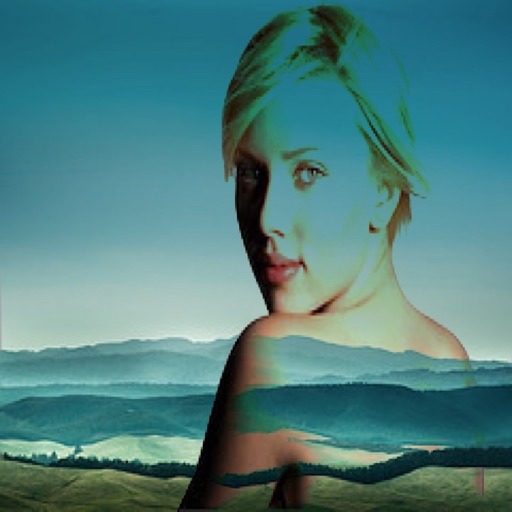
Combine two images with blend modes.
The app allows users to combine two images using various blend modes. Users can select photos from their device or the web and adjust layer transparency.

Sylwester Los
Edit photos, sketch, and paint professionally
Create and edit digital art with brush tools, layers, and color blending. Import photos and sketches. Adjust brightness, contrast, and saturation. Add text and shapes. Export artwork in various formats and share directly.

Roman Sevastyanov
Explore wheels in one place
Explore wheels in digital, abstract, and classic formats. Select colors using a camera or image. Adjust hues and values. Create combinations. Use AR stencil for proportion marking. Save and share palettes.

Rizer Creative Ltd
Paint with pixels and create art
Create pixel art with automatic double pixel removal for precise line art. Use round, square, and matrix dither brushes. Draw lines locked to isometric angles. Create rectangles and ellipses. Manage layers for animated projects.

Aleksandr Komarov
On paper, edit with tools
Create digital art using tools like paper, brushes, pencils, pens, and markers. Adjust brush pressure and opacity. Layer artwork and apply textures. Export in various formats and share directly.
Apps are ranked by functional similarity, category fit, rating confidence, and popularity.