Allows users to perform basic arithmetic operations, percentages, and use memory functions. It includes a backspace button for quick corrections and a positive/negative toggle. Results are displayed clearly with an intuitive interface.
by Rodmar Colipano★ 0.00 ratingsProductivityFreeData updated 2026-09-06
The app offers two modes: portrait for basic calculations and landscape for scientific functions. Users can track entries with multiple tapes and use memory slots for complex calculations.
Calculate taxes including GST, VAT, and discounts. Input values to compute totals, markups, and percentages. Switch between light and dark themes. Export results and perform basic arithmetic operations.
Calculate decimal, binary, octal, and hexadecimal values
Perform decimal, binary, octal, and hexadecimal arithmetic. Convert between number systems. Apply binary logic functions. Use parentheses for operator grouping. Input hexadecimal values using A-F keys.
Track calculations step by step to identify errors. Perform basic and advanced math operations. Use scientific functions and memory storage. Save and recall previous equations. Adjust display settings for different modes.
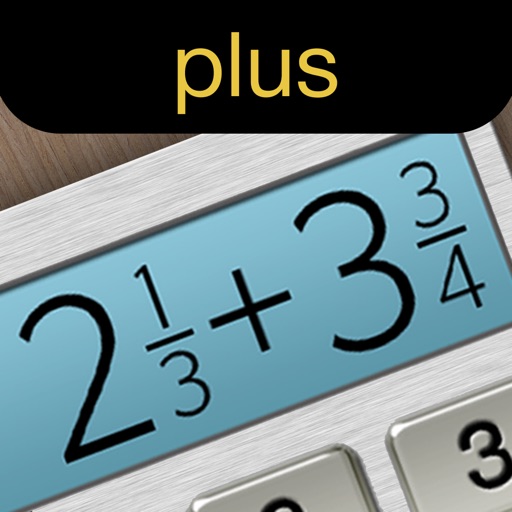
Calculate fractions by adding, subtracting, dividing, and multiplying. Convert fractions to decimals. Adjust recipe quantities for different serving sizes. Review math problems quickly and accurately.
Perform calculations for arithmetic, percentages, proportions, and unit conversions. Convert currencies, measure areas and volumes. Solve complex equations and basic math problems. Switch between different calculation modes and units effortlessly.
Perform percentage calculations for tax and discounts. Execute constant calculations with Casio-style formatting. Handle exponentiation and advanced mathematical functions. Store and recall previous results. Switch between basic and scientific modes.
Allows users to save formulas for repeated use. Enter variables to recalculate results without rewriting formulas. Supports trigonometric functions, logarithms, factorials, and permutations. View saved formulas and variables for easy access.
ContractorCalculator helps users perform on-the-go calculations for square footage, measurement conversions, and fraction math. It supports trade-specific tasks like amps to watts and wire size.
Performs arithmetic operations including addition, subtraction, multiplication, and division. Displays full calculation formulas for error detection. Includes standard functions comparable to commercial calculators.
Perform complex calculations using 10 built-in calculators including scientific, financial, and unit conversion tools. Access 10 financial worksheets for budgeting, loans, and investments. Save and share calculation results.
Performs arithmetic operations using numerals. Users can convert between and Arabic numbers. The supports landscape mode for additional functions and displays results in numerals. Backgrounds and button styles are customizable.
Perform calculations with math functions and trigonometry. Switch between units like feet, inches, yards, and metric. Visualize measurements and fractions. Track projects with customizable templates. Export results in various formats.