Create a photo list from your library or camera, sorted by date. Tap a photo to open a map and navigate to its location. Swipe left to remove photos. Add new photos by tapping the '+' button.
by Annie Wang Publications★ 5.02 ratingsNavigationFreeData updated 2026-09-06
Edit photos with filters, beauty tools, and artistic effects. Adjust skin tone, eyes, and lighting. Add stickers, text, and frames. Export in multiple formats and share directly. Sync with mobile edition for consistent editing experience.
Blur image backgrounds to create effects. Select photos from gallery or capture new images. Apply multiple blurring tools to adjust blur intensity. Export edited photos to device storage.
Remove unwanted objects from photos using AI-powered erasing tools. Mark or tap objects to delete them. Replace or remove backgrounds with new ones. Automatically cut out objects with a tap. Undo or redo changes.
Capture photos and videos with high resolution up to 4032x3024 and 4K. Switch between front and back cameras. Use face detection, grid, and image stabilization. Zoom up to 10x. Adjust focus and exposure by tapping.
Take photos of surroundings or people using . Decorate images colors and effects. Share creations directly or save for later. Encourage creative and social interaction through playful activities.
Create collages using 9 photos. Tap frames to insert images from the photo library. Resize, reposition, and crop photos within each frame. Preview the in full size and save it to the photo library.
Create -themed with multiple creative options. Select images from gallery or camera. Apply effects for enhanced visuals. Share photos on social media platforms. Save edited images in high resolution.
Review and delete photos with a gesture. left to delete, right to keep. Deleted photos are stored in a smart trash bin for safe removal. Remove duplicates and optimize camera roll storage.
Access daily images from NASA's of the Day collection. View accompanying explanations from professional astronomers. Save photos to your camera roll or share them with others. Explore the universe with detailed descriptions and high-quality images.
Enhance quality with AI-powered upscaling. Remove blur, grain, and pixelation to create crisp, high-resolution images. Restore old photos and videos. Share edited files directly.
Photos and videos by swiping left or right. Organize media files to free up storage space. Quickly manage camera roll content without needing additional steps.
RAY INFORMATICS YAZILIM TEKNOLOJI MEDYA DANISMANLIK VE EGITIM TICARET LIMITED SIRKETI
Photos with AI in one tap
Enhance and black and white photos using AI. Adjust brightness, contrast, and color balance. Apply automatic colorization with one tap. Save and share edited photos in various formats.
Create looping videos and animated GIFs from photo bursts. Capture bursts via Camera on compatible devices. Edit and export as video or GIF. Share creations directly from the .
Edit photos with PIP frames, collages, and creative layouts. Add crystal bottle patterns and cartoon styles. Share edited photos directly to social media. Adjust brightness, contrast, and colors. Crop and rotate images.
The app allows users to explore over 6 billion photos and videos on Flickr. The free edition offers limited access to photo streams and search functionality.
Create sketches from photos or camera captures with "," "Doodle," and "Hatch" styles. Adjust colors for black-white or vibrant results. Save images with a single tap. Share generated sketches directly.
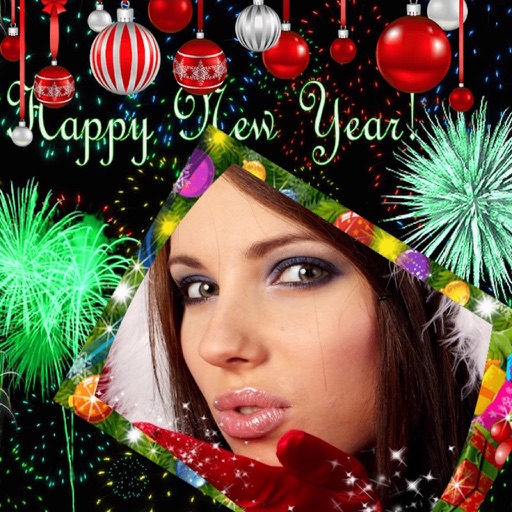
Edit photos with New and collages. Add text and custom greetings. Create cards for wishes. Decorate images with realistic effects. Share edited photos directly.
Edit photos with background erasing and replacement. Remove backgrounds automatically or manually using AI. Replace backgrounds with custom images, colors, gradients, or textures. Adjust and enhance images with precise editing tools.
Photos by flipping horizontally or vertically. Create reflections and repeating patterns. Apply effects and frames. Design collages with multiple layouts. Export and share edited images.
Create -themed collages using 100+ available frames. Add text with customizable fonts and colors. Adjust opacity and rotate images. Select photos from gallery or camera. Apply effects to enhance visuals.