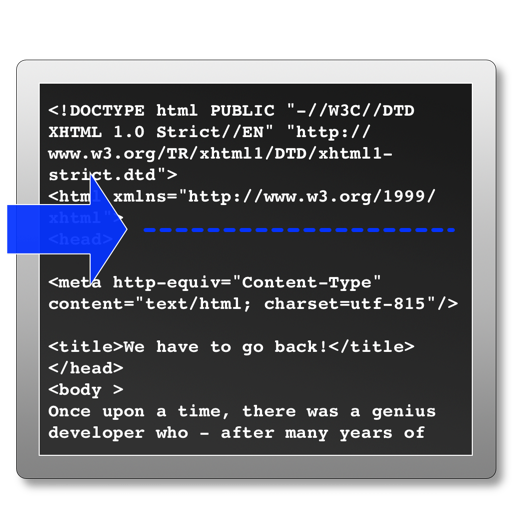
The app processes selected HTML files to add analytics tracking code before the head tag. It skips files that already contain tracking code and can create backup files before modifying originals.
by Rene Rosendahl★ 0.00 ratingsDeveloper Tools$2.99Data updated 2026-10-16
And transfer using VCF and CSV formats. Export to email or cloud storage. Remove duplicates and recover lost entries. Sync between devices securely. Share contact files directly with others.
Learn HTML, CSS, and JavaScript with code templates, auto-completion, and syntax highlighting. Run code examples locally and share via LAN HTTP/FTP. Use Git for version control and iCloud for storage. Edit and execute code directly within the .
Write and code and plain with syntax highlighting for multiple languages including Python, Java, JavaScript, HTML, CSS, Markdown, and JSON. Manage files and projects across devices with a lightweight interface.
Scan documents by automatically detecting the area or manually snapping photos. Adjust borders, select color modes, and fine-tune brightness. Create multi-page documents and organize files effortlessly.
Download and store from services like Google Drive, Yandex Disk, Box, and Dropbox. Play without an internet connection. Access a clean, user-friendly interface for browsing and managing your library.
The app converts PDF files to HTML for web publishing. It can also merge PDF files and convert PDF to PNG, JPEG, EPS, and PS formats while preserving the original layout.
The app generates multiple favicon files from a single image, including ICO, PNG, and SVG formats. It provides HTML tags and a web manifest file for easy integration into projects.
Navigate and manage files and folders, preview documents and media. Browse and view notebooks. Run scripts and notebooks. Integrate with source code formats. Edit and debug code with syntax highlighting. Save and export code changes.
The app encrypts files and text, ensuring only chosen recipients can access them. All operations occur on the device, with no accounts, servers, or tracking involved.
Enter and execute code directly in the built-in browser or text editor. Auto-complete and auto-indent features enhance coding efficiency. Customize code color and font size. Run selected text or entire files.
Write and execute Ruby scripts with auto-complete, auto-indent, and code coloring. Run selected text or files in a built-in browser or text editor. Support multiple file formats including txt, rb, html, and pdf.
Edit with a Sublime-like interface. Open and edit local and remote files via Dropbox, OneDrive, FTP, SFTP/SSH. Support multitasking, split-screen, and iPadOS mouse. Use Siri Shortcuts for automation. Enable multi-caret editing for efficient coding.
Edit code with syntax highlighting and code completion suggestions. Open files from iCloud or drag onto the . Insert tags via menu or comment code with dynamic detection. Export files directly.
Pro lets users access history instantly with ⌘⇧V. It categorizes content like URLs, emails, and code automatically. Users can store up to 50 items free or unlimited with Pro. It includes automatic backup and search functionality.
Convert XML files to PDF, CSV, HTML, Excel, XLSX, ODS, and other formats. Convert files back to XML while preserving structure and content. No sign-up required. Supports multiple file types for seamless format switching.
Edit PDFs by directly modifying text. Scan and convert documents to PDF. Organize files, add annotations, and sign documents. Share and export in multiple formats. Sync across iPhone, iPad, and Mac devices.
The app accesses local files, computers, NAS, and cloud storages. It allows file transfers and streaming of media directly from network shares and cloud storage to the user's device.
Allows users to connect to home computers, network drives, and cloud storage. They can browse files quickly, move, edit, delete, and rename files. Organize files across devices and access remote storage seamlessly.