
MCBackup: My Contacts Backup
Securely and transfer them effortlessly
Ravi Kotadiya
iPhone Screenshots



Description
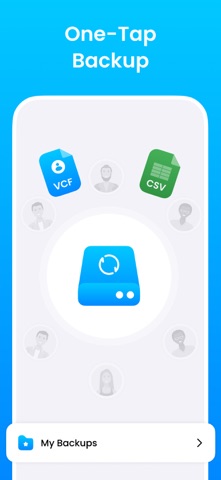
And transfer using VCF and CSV formats. Export to email or cloud storage. Remove duplicates and recover lost entries. Sync between devices securely. Share contact files directly with others.
Never lose a phone number again.
Trusted by 500k+ iPhone users, MCBackup is the simple way to back up, export, and restore your address book — directly on your device. No computer. No account. Just tap Backup.
WHY MCBackup?
• One-tap backup — save your full contact list in seconds
• Export as VCF (vCard) or CSV — works with email, Files, AirDrop, and cloud storage
• Restore anytime — recover deleted numbers or move contacts to a new iPhone
• Find & merge duplicates — clean duplicate names, phones, and emails
• Import selectively — restore only the contacts you choose
• Works offline — backups stay on your device until you decide where to save them
PERFECT FOR
• Upgrading to a new iPhone or iPad
• Cleaning a messy phonebook before a trip or job change
• Keeping a safe copy before iOS updates or repairs
• Sharing your address book in a universal file format
HOW IT WORKS
1. Tap Backup to create a VCF or CSV file
2. Save to Files, email yourself, or AirDrop to another device
3. Restore or import whenever you need — all or selected contacts
Available in English, Spanish, French, German, Italian, Chinese, Japanese, Turkish, Russian, Danish, and Arabic.
Download MCBackup free and keep your contacts safe today.
Privacy Policy: http://ruruinfotech.com/PrivacyPolicy/ContactsbackUp/McBackup_privacy.html