Draw with responsive touch input and customizable brush sizes. Apply sparkle animations while creating art. Save drawings to the device photo album. Share completed artwork directly.
by The App Tower Inc.★ 4.3197 ratingsEntertainmentFreeData updated 2026-09-08
The app allows users to draw with their finger on an iPhone, iPad, or iPod Touch. Users can select from 6 colors and 5 line sizes, and connect two devices to share a drawing screen with a friend.
Create walls by drawing lines to protect a cat from bees. Adjust line thickness and color. Tap to remove walls. Complete levels by guiding the cat to safety. Track progress through multiple stages.
Draw a in any pose by adjusting joints and limbs. Use poseable models and reference tools for accurate positioning. Apply skins for detailed textures. Customize camera angles and backgrounds.
Kids can color illustrations with touch-screen tools, select from multiple colors and brushes. on provided templates, save or share completed artwork. Listen to sounds and animations, follow drawing lessons to improve fine motor skills.
Edit photos with splash effects, convert images to black and white, or apply custom colors. Add filters, zoom in on photos, and use a brush tool. Export and share edited images directly.
Allows children to create art using finger slides and clicks. It includes stick figures, , and coloring features. Users can explore art materials, cartoons, and comics.
Edit photos with basic tools like cropping and adjustments. Apply AI-powered art filters for creative effects. Enhance images with intelligent editing features. Save and share edited photos directly.
Personalized cards for religious festivals, special days, and events. Select from various categories, add text and images, customize designs, and share via social media or email.
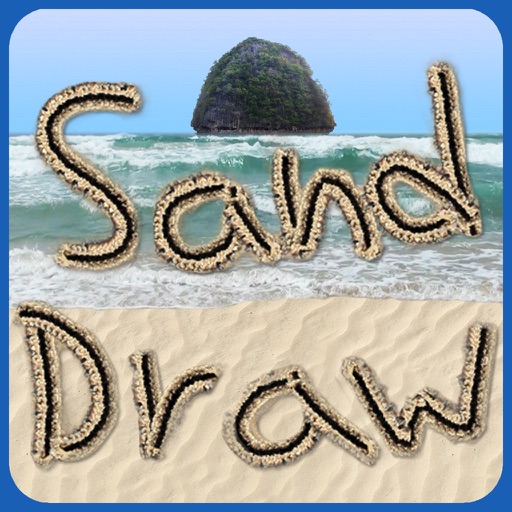
The app allows users to draw on realistic sand with various beach objects and customizable colors for the sea, sky, and sand. Users can shake the device to clear the drawing and add a sea view with a controllable sunset.
Create 3D art using step-by-step tutorials. Access a large collection of drawings and techniques. Learn without prior skills through self-guided lessons. Practice drawing various styles. Export and share finished artwork.
Create 3D structures by applying to draw circles that expand with force. Use 3D Touch to generate random color profiles and explore sensitivity. View dynamic color changes and interactive drawing effects.
Create custom anime characters by mixing and matching facial features, hairstyles, clothing, and accessories. Adjust makeup, eyes, lips, and body type. Save or share generated images as wallpapers or social media posts.
Color pictures with realistic brush tools and save completed artwork. Draw on blank pages with zoom features. Watch video replays of drawing sessions. Access a variety of pre-designed images for .
The app transforms user photos into oil paintings with a brush and oil color effect. Users can apply the oil filter to images and share them on social media or save them.