Apps Like Fine Art Display System 2 for iPhone and iPad
Show artworks, browse gallery pieces, buy art
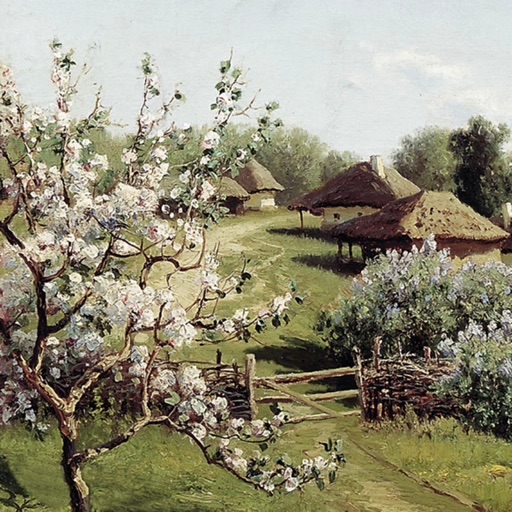
Artworks in a slideshow format with rotating curated pieces from the Central Coast Gallery. Users can browse and purchase selected artworks. Adjust slide duration and set preferred viewing times.
by Ventura Educational Systems★ 0.00 ratingsEntertainmentFreeData updated 2026-09-06
The app offers a variety of photo effects, including filters, 3D, and frames. Users can access 208 effects for free, with over 1300 additional effects available through in-app purchases.
Browse art and design items, place bids, save favorites, and view item valuations. Access auction listings, track bids, and manage saved items. Create an account to participate in auctions and view detailed item descriptions.
Create colorful designs using art effects with 48 unique brushes and 48 shapes across six categories. Use symmetry and inverse drawing modes for creative effects. Apply dynamic textures and -off particles for realistic results.
Set phone wallpaper and lock screen with artwork. Browse curated collection of traditional masterpieces. Customize screens with selected images. Share favorite artwork via social media.
View real artworks through augmented reality. Tap to learn about artists and techniques. Animate paintings and sculptures with interactive features. Share creations via social media. Explore art history with detailed descriptions.
Explore digital collections of Russian and European art. View paintings by Shishkin, Aivazovsky, Levitan, and Monet. Download high-resolution artworks. Access curated galleries for inspiration and relaxation.
Create virtual wall displays to showcase art, photos, and designs in realistic room settings. Adjust lighting, color schemes, and layouts to visualize how artwork fits in different spaces. Share finished designs with clients or fans for feedback.
Merge photos into artistic compositions by selectively editing and combining image elements. Remove or re-add parts using finger painting techniques. Adjust brush settings for precise control.
Shop for athleisure clothing with color options and versatile cuts. Browse curated collections. Add items to cart and checkout securely. View product details and customer reviews. Track order status and manage returns.
Play by tapping to launch orbs and matching three or more of the same color to make them disappear. Complete levels with various goals. Use boosters to assist. Explore different levels and orb types.
Stickers to collect unique items and complete themed collections. Arrange stickers into artistic scenes and unlock new content. Customize layouts and save progress. Share completed collections with others.
Create art with layer editing, color customization, and drawing tools. Add, delete, and copy layers. Adjust colors and save projects. Requires over 300MB free storage to create new projects.
Store and organize children's artwork and schoolwork in a chronological timeline. Share creations with family and friends. Print artwork as high-quality hardcover books or other professional formats.
View art pieces with a gentle zoom and random transitions between renowned artworks. Set display times to 20, 30, or 60 seconds. Swipe to advance to the next piece. A clock moves from left to right at the bottom of the screen and can be toggled off.
Create art using color-by-numbers puzzles. Choose colors and fill grids to complete images. Save and share artwork. Access a community to view and comment on others' creations. Improve fine motor skills and concentration through gameplay.
Explore galleries, view artist biographies, and learn about historical context and artwork insights. Find and schedule events, discover local dining options, and access curated recommendations. Sync with personal preferences for tailored experiences.
Support for this version ends in December 2025. Artworks and NFTs remain in user wallets. Users must install the new for FF1 and exhibitions. Accounts need to be re-added after signing in.
View full-screen art pieces with automatic transitions between iconic artworks. Set display durations to 20, 30, or 60 seconds. Swipe to advance to the next piece. A clock moves from left to right at the bottom of the screen.
Browse a collection of 1149 -era paintings by 100 artists. Search for specific artworks. View high-resolution images of famous paintings. Explore details about each piece and its artist. Share artwork directly.