Apps Like Fine Art Display System 2 for iPhone and iPad
Show artworks, browse gallery pieces, buy art
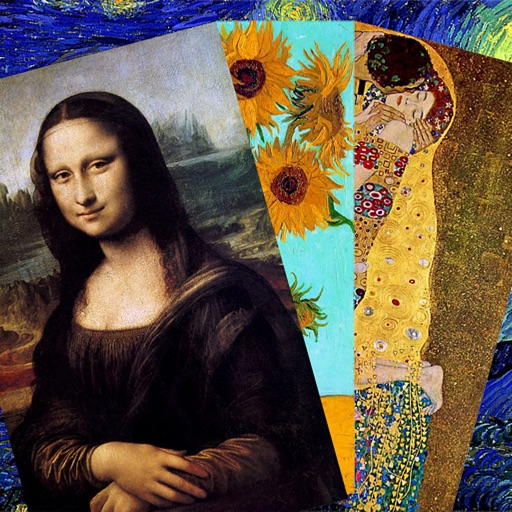
Artworks in a slideshow format with rotating curated pieces from the Central Coast Gallery. Users can browse and purchase selected artworks. Adjust slide duration and set preferred viewing times.
by Ventura Educational Systems★ 0.00 ratingsEntertainmentFreeData updated 2026-09-06
Learn basics through guided lessons on letter formation and stroke techniques. Practice tracing and writing letters with on-screen tools. Access alphabet guides and stroke exercises to improve lettering skills.
The app presents a virtual gallery featuring thousands of paintings by European artists, spanning the history of Western European Art. Users can view rare artworks in detail and color, with options for HD versions and offline viewing.
Create art by following lines with customizable brushes and bright colors. Choose from various patterns and tools. Save and share completed drawings. Adjust colors and brush sizes for detailed painting.
Create art by selecting styles and swiping the screen. Customize canvas settings including opacity, size, and layers. Combine tools to explore creative possibilities. Save and share artwork directly.
Solve logic puzzles by tapping tiles to reveal hidden images. Choose from two zoo scenes with 80 puzzles in various sizes. Use logical deduction to fill or break tiles and complete each artwork. Purchase additional puzzles via in- purchase.
Create artworks using a -by- format with a wide range of colors. Select and apply colors to numbered sections. Save and share finished drawings. Use magnet for interactive selection and creative expression.
The app presents audio and visual information on artworks from antiquity to the 20th century. It features close-up views of objects and background on artists and the museum.
Set wallpapers with AI-generated images and curated photography. Choose from nature, geography, or art themes. Replace current wallpapers automatically or manually. Save and share selected wallpapers.
View high-resolution paintings from the collection. Explore detailed artworks like "Bullfight" by Francisco de Goya and "Toledo in a Thunderstorm" by El Greco. Zoom in on brushstrokes and details.
Visualize furniture and home decor in real-world settings using AR. Place 3D models of objects in your space. Adjust lighting and angles for realistic views. Save and recall room layouts for later review.
Solve puzzles by arranging hexagonal tiles in correct sequences. Swipe to move pieces and complete levels. Track progress and unlock new challenges. Features calming visuals and intuitive touch controls.
Convert photos and videos to art with 30+ styles and 10+ effects. Record art videos directly or apply the style to existing clips. Save results as videos, live photos, or gifs. Adjust settings to customize the pixelation effect.
Explore local attractions, view curated guides, and navigate downtown Thomasville. boutique shops, art galleries, and restaurants. Access event listings and historical information about landmarks.
Create and manipulate fluid simulations with touch gestures. Adjust colors, viscosity, and motion speed. Save and share fluid art. Relax with calming effects or explore dynamic, interactive patterns.
Solve puzzles by dragging and snapping blocks into place to reveal detailed illustrations. Complete scenes like a living room or beach escape. Track progress through levels and enjoy calming, satisfying gameplay.
Browse and purchase artworks from international artists and galleries. Place virtual art on walls or in rooms. Explore curated exhibitions and view detailed artist information. Collect and manage a digital art portfolio remotely.