Udio tones with adjustable frequency, amplitude, and waveform selection. Choose from sine, square, sawtooth, and triangle waveforms. Test audio equipment, tune instruments, or use for sound therapy. Control settings through an intuitive interface.
The app analyzes audio input in real-time using FFT. It displays the frequency spectrum with options for graph scale, FFT window, decay time, and amplitude offset.
Measure sound levels with real-time precision. Analyze harmonics using multichannel FFT with adjustable parameters. Display graphical representations of audio data. Utilize AI to identify sound sources and analyze environments.
Measure acceleration, orientation, and motion with built-in sensors. Record and analyze real-time data for experiments. Detect and generate sound tones. Visualize audio waveforms. Export measurements and graphs for scientific use.
Real-time analysis displays waveform and amplitude simultaneously. Users can switch between portrait and landscape modes. Options to configure waveform and display. Adjustable FFT size and window function for precise frequency analysis.
Analyze in real time with octave band and FFT measurements. Visualize frequency spectra and measure sound levels. Export data and compare measurements across sessions.
Set a custom tempo with BPM input. Choose between normal, repeat, and program modes. Adjust beat divisions to eighth, triplet, or sixteenth notes. Use realistic pendulum animation and natural sounds. Start and stop timing with simple controls.
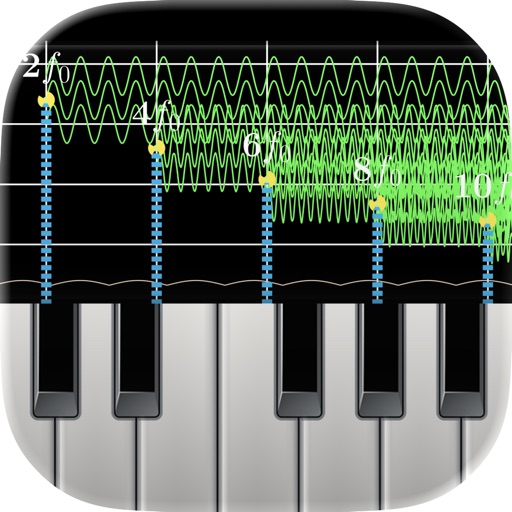
Monitor audio in real time with low-latency processing. View waveform oscilloscopes and frequency spectra. Analyze piano inharmonicity and tuning accuracy. Capture and inspect raw waveforms for music and acoustics.
Monitor performance with real-time CPU, memory, and battery usage tracking. View detailed hardware specifications and storage information. Run system tests, benchmark apps, and analyze network activity.
Measure levels in decibels using the device’s microphone. Display real-time audio frequency and dB readings. Apply filters for specific frequency and dB ranges. Share measurements via Messages, Email, WhatsApp, Notes, and other apps.
Analyze frequencies with a real-time display. Adjust and visualize sound levels across different frequency ranges. Export analysis data and compare signals for accuracy. Calibrate equipment for optimal performance.
Generate sound waves and customize audio frequencies
Create and visualize sound waves with frequency control from 0Hz to 22,000Hz. Measure decibels to assess noise levels. Emit ultrasonic frequencies to deter insects. Toggle between light and dark interface themes.
Analyze in real time with octave band and FFT plots. Display sound levels in decibels and noise ratings. Choose linear or logarithmic scales. Adjust window functions and track maximum values.
Visualize audio in real time with customizable backgrounds and logos. Export visualizations as videos. Select and analyze audio files directly on phone or Mac. Adjust settings to modify animation styles and layouts.