Convert documents and images to PDF by importing files from photo albums or other sources. Merge multiple files into a single PDF with one click. Split PDF files into smaller sections. Export and share the resulting PDFs.
by 晓珍 胡★ 4.8355 ratingsProductivityFreeData updated 2026-09-06
Convert Word, Excel, PPTX, and JPG files to PDF. Scan documents and into PDF format. Add signatures to prevent edits. Lock PDFs to restrict access. Edit and adjust file content before exporting.
Shanghai Zongchong Information Technology Co., Ltd
Scan and export high-resolution PDFs
Converts photos of documents into high-resolution PDFs using AI-enhanced scanning. Automatically sharpens text and lines, even in low light or with shadows. Export as PDF or image formats. Share scanned documents directly.
Convert PDF files to editable presentations while preserving text, images, layouts, hyperlinks, tables, and bezier graphics. Import PDFs, export as , and open in compatible mobile office apps.
Convert images, documents, and HTML files into PDFs or other formats. Customize PDFs with watermarking, locking, unlocking, and compression. Simplify file management and sharing with one-click conversions.
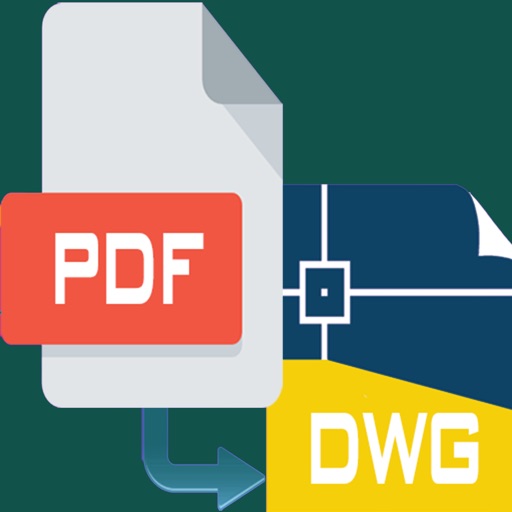
PDF files to editable DWG format with high clarity. Edit lines, arcs, and text directly. Supports polylines, splines, and images. Export as DWG for use in . Remove or adjust elements as in native drawings.
Files between devices and cloud storage services including iCloud Drive, Dropbox, Box, OneDrive, and Google Drive. Connect to FTP/SFTP/FTPS servers with username/password or private key authentication.
Digitize documents, photos, receipts, and business cards into high-quality PDFs. Convert images to PDF, create digital signatures, and edit PDF files. Sync documents across devices and manage files with organization and security features.
Read and view documents including PDF, DOCX, XLSX, and PPTX formats. Open files offline or online. Access documents from any device. Use a simple, intuitive interface to navigate and manage files.
Convert Word documents to PDF with batch processing support. Upload and convert single or multiple files. Save and download converted PDFs directly. Supports doc and docx formats.
Scan documents, save, export, and share files in PDF, JPG, or TXT formats. Automatically recognize text with OCR. Edit scanned text and convert to editable documents. Organize and access files directly from the .
File Slimmer identifies and filters duplicate media files, retaining the versions. Users can mark files for retention and clean up duplicates with one click.
Convert images to PDF with high quality. Resize, compress, and adjust settings. Save and share converted files directly. Support multiple formats and batch processing.
Scan documents and convert images to . Combine multiple documents into one or create separate files. Save scanned documents on the Scanner page for later access. Share files directly or save to cloud storage.
Convert image files to PDF format. Select and convert BMP, JPG, JPEG, GIF, PCX, PNG, TIF, and TIFF files. Save converted files directly without using online portals. Merge multiple images into a single PDF document.
Remove unwanted areas from images or PDF files using precise cropping tools. Stitch multiple images or PDF pages together. Export cropped content as JPEG, PNG, or PDF to the Photo Library or other apps.
Import Chinese ePub, add romanization and translation,
Convert ePub files in Simplified or Traditional Chinese to include romanization lines (pinyin, Sidney Lau, Yale) and native language lines (English, Spanish). Export as PDF.
Convert photos to professional PDF documents with two taps. Batch process multiple images at once. Work offline without internet connection. No ads or subscriptions. Export and share PDFs directly.