Write notes by hand with a simple interface. Tap to access color selection and storage. Use multiple fingers for smooth writing. Choose from five colors: black, red, blue, green, and pink. Adjust line thickness with a slider.
by Kiyoshi Koike★ 3.45 ratingsProductivityFreeData updated 2026-09-08
Kal enables typing of Fidel characters with double tap or slide gestures. It includes an advanced word prediction algorithm for Amharic dictionary to enhance typing speed. Users can access multiple keys through gesture inputs.
Crop and rotate images into various shapes. Add text, arrows, and shapes for annotations. Pixelate sections or draw freehand. Share edited photos directly with contacts.
Edit photos by recoloring specific areas using finger painting or selection tools. Change colors of objects, clothing, or eyes. Convert photos to black and white with retention. Share edited images directly to Instagram.
Take notes with customizable ink styles and pressure-sensitive strokes. Choose from various pen tools and colors. Record and sync audio with writing. Draw precise shapes and lines. Share notes directly.
A clock interface displays time with minute increments. Add personal notes and weather information. Customize the interface with icons or images. Uses minimal power due to efficient design.
Customize appearance with themes, button shapes, and colors. Choose from six layouts and control all visual elements. View input and result simultaneously on dual-line display. Adjust settings for precise calculations.
Perform general calculations including addition, subtraction, multiplication, division, and square roots. Use memory functions for storage and retrieval. Apply thousands separators and handle numbers up to 60 digits.
Handwriting fonts and save them permanently. Design fonts with multilingual support for 40+ languages and alphabets. Add lowercase, uppercase, numbers, and special characters. Export fonts as .TTF files for use in desktop and mobile apps.
To events with customizable timers and alerts. Add notes for each event with gift ideas or reminders. Display countdowns via widgets on home screen. Includes hand-drawn bear artwork in pastel colors.
Add text, signature, image, or logo watermarks to photos and videos. Choose from multiple fonts and colors for text. Import trademarks from photos. Apply full-screen watermarks easily.
Calculate sales tax and discounts with percentage-based operations. View equations and reuse previous results via the history tape. Adjust rounding settings and switch between multiple color themes.
Take with Apple Pencil, capacitive stylus, or finger. Customize pen color, thickness, and style. Secure with a passcode. Organize and manage digital content efficiently.
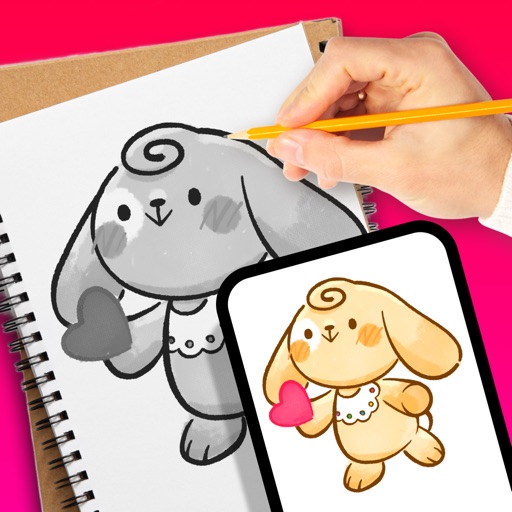
Trace images to create sketches or drawings. Adjust line thickness and brush styles. Use an eraser tool. Apply filters to images. Select from gallery or take new photos. Draw on paper with phone held 1 foot above.
Measures angles and slopes using the iPhone's sensors. Calibrate by placing the phone on a flat surface and pressing the button. Use for carpentry, home decoration, and other tasks requiring precise leveling.