Create mandala paintings using vector-based tools. Zoom smoothly for precise details. Choose from various colors and brush styles. Save and share drawings directly. Adjust layer settings for customization.
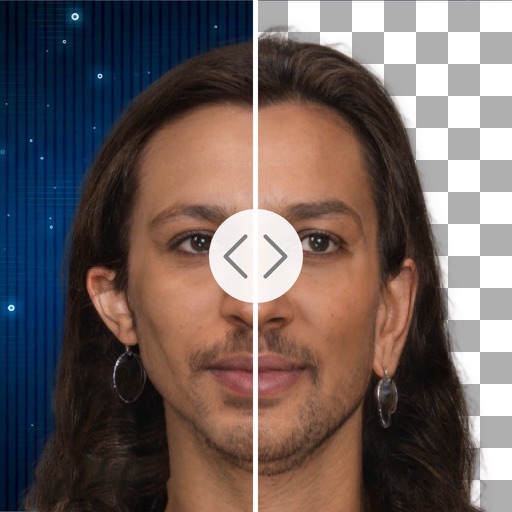
Remove with automatic portrait recognition or brush matting tools. Choose from multiple shape options for precise masking. Add color line strokes to edited areas. Export modified images directly.
Mark up photos and PDFs with , highlight, underline, strike through, blur, pixelate, erase, draw, and sign tools. Apply line and word-based markups for precise editing. Use suggested to identify and remove sensitive information.
Remove backgrounds with a single tap. Replace with 800+ virtual templates. Export as transparent MP4 with alpha channel. Adjust resolution to 16:9 or 9:16. Position and scale the top layer transparent .
The app adds timestamps to photos and videos, preserving original resolution and quality. Users can customize time format, font, color, size, and position for clear record-keeping.
Create and customize for cross and pixel art. Set grid size up to 1,000 x 1,000. Choose display formats including symbol, fill, and . Use rulers and context menus to copy, move, flip, or clear elements. Duplicate pages and select starting positions.
The app offers tools to enhance photos, remove blemishes, and apply various effects. Users can combine photos into collages, add stickers and frames, and adjust image properties like brightness and contrast.
Backgrounds from photos with precision, save images with transparent backgrounds, or replace them with custom ones. Edit photos by adding filters, drawing, inserting text, and applying stickers to create professional images and social media content.
Extract high-quality still images from videos or Live Photos. Select and edit frames with built-in tools. View and edited photos directly. Play videos from local storage or iCloud. Scrub through footage for precise frame capture.
Create vector drawings with speed and flexibility.
The app provides an intuitive tool for creating vector graphics such as flowcharts, technical drawings, and drafts. It offers speed and flexibility with customizable tools for precise alignment and adjustable elements.
Record videos with on-screen text guidance. Adjust scroll speed and text size for customization. Set fill colors for high contrast. Align text left, center, or right. Flip or mirror for glass rigs. Use front or back camera for shooting.
Draw and with customizable brushes and layers. Edit images with adjustment tools and filters. Import and export files in various formats. Use gesture controls for quick navigation and editing.
Add to videos with animation options. Customize size, color, opacity, and background of captions. Animate line by line, word by word, or character by character. Adjust timing and speed. Position and rotate freely. Add multiple captions per .
Add automatic subtitles to videos with accurate text recognition and 100+ language support. Edit font, style, and animations. Include AI eye contact and teleprompter features. Export with or without .