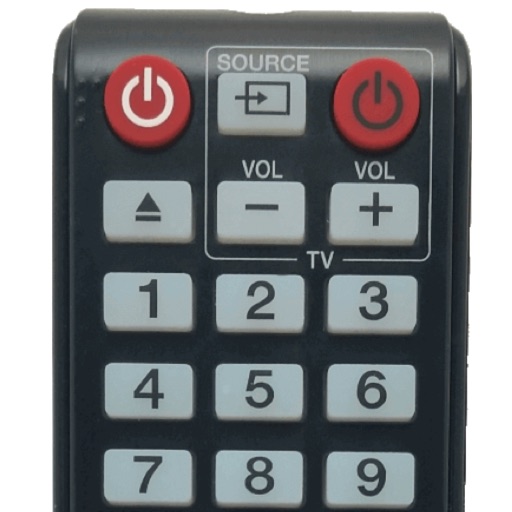
Control TV channels, adjust volume, and manage playback with commands. Access a interface compatible with multiple TV brands. Use AI to search for content and navigate menus without manual input.
Control your TV using your iPhone as a . Connect once and the remembers your TV. Launch and control favorite apps. Use an intuitive interface with a fast keyboard. Auto-detects TVs on the same Wi-Fi network.
Save your last layout for quick access upon reopening. Use a fast touch pad and keyboard for swift navigation. Features an intuitive design with a clean and user-friendly interface.
Control Roku TV remotely by accessing menus and apps like Netflix, Amazon, and Spotify. Change channels, adjust volume, and use the keyboard for searches. Navigate the interface quickly without a physical .
Control devices with touchpad, keyboard, and buttons
Control smart projector or soundbar using touchpad, virtual keyboard, and function buttons. Adjust settings, navigate menus, and manage device functions directly from the .
Control Samsung TV with iPhone as a secondary remote. Cast photos and videos from library to TV. Search for movies, TV shows, and YouTube content via . Manage TV settings and navigation remotely.
Lets users change channels, fast forward, rewind, skip back, and adjust volume. Navigate menus with a trackpad or search using a phone’s keyboard. Connect to Roku TV via Wi-Fi for full control functionality.
Control Roku devices remotely with this . Scan your network to locate Roku devices. Adjust volume, power on or off, and access TV channels. Navigate using buttons or touchpad. Open favorite channels directly. Supports tablets and multiple devices.
Multiple TV brands with one . Navigate menus, adjust volume, and change channels. Customize buttons and save frequently used commands. Pair with Bluetooth or infrared. Support for Roku, LG, TCL, Vizio, Fire Stick, Onn, Insignia, and Samsung TVs.
Manage TV functions including power, volume, channels, and inputs. Control smart TVs via Wi-Fi with quick setup. Use touchpad and keyboard for navigation. Access a clean interface for straightforward operation.
Smart TV functions with a virtual remote, adjust volume, change channels, and manage playback. Mirror device screen to the TV for content casting. Use a virtual keyboard for text input and a touchpad for navigation.
Your device by connecting to the same Wi-Fi network as your iPhone or iPad. Switch channels, adjust volume, and launch streaming apps with one tap. Navigate smoothly and access favorite services instantly.
Control Roku device or Roku TV remotely from iOS. Automatically detect Roku TV on same Wi-Fi network. Access all buttons for navigation. Use large trackpad for menu and content navigation. Manage TV channels directly.
Control devices with touchpad gestures and buttons. Adjust volume, change channels, and operate TV functions. Cast photos and videos to TV. Launch favorite apps directly from the home screen. Manage multiple devices with a unified interface.
Your Smart TV with full functions including power, volume, channels, mute, and navigation. Search text on Android TV, LG, Samsung, and Fire TV. No setup required.