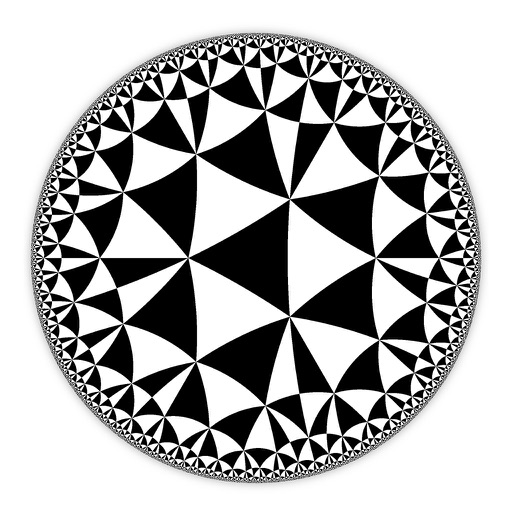
Create and customize hyperbolic patterns using Poincare Disk geometry. Adjust motifs to repeat infinitely within the circular space. Explore non-Euclidean designs with scalable, recursive visuals. Export patterns in various image formats.
by DAVID CROOKS SOFTWARE DEVELOPMENT LIMITED★ 4.67 ratingsGraphics & DesignFreeData updated 2026-09-06
Scan problems from textbooks, screens, or handwritten notes. Get instant step-by-step solutions and explanations. Solve complex word and geometry problems. Access solutions anytime for continuous learning support.
Offers vocabulary building with over 500 flashcards across various subjects. Includes 90 interactive games for cognitive development. Features three difficulty levels with nearly 1000 lessons. Tracks progress and adapts to child's learning stage.
Decode numbers by searching for their meanings. Track repeating numbers and analyze their patterns. Use guided journaling prompts to reflect and manifest positive energy.
Explore the universe with a 3D planetarium featuring accurate data from NASA and ESA. Navigate through and , view detailed information on celestial bodies, and access educational content about space missions and astronomical phenomena.
Explore chords, scales, and arpeggios with interactive libraries. Select root notes and adjust lowest or highest notes for custom chord shapes. View and practice scale patterns with detailed diagrams.
Calculate geometric properties such as perimeter, area, and volume for shapes including squares, rectangles, triangles, trapezoids, circles, cubes, cylinders, and cones. Input dimensions to get results. Export calculations as text.
Create art using biological simulations and reaction-diffusion patterns. Apply 40+ presets to generate natural-looking designs. Manipulate parameters to adjust patterns dynamically. Export artwork in various formats.
Offers interactive games and practice problems tailored to each child. Topics include addition, subtraction, geometry, measurement, and fractions. Users can track progress and receive personalized learning paths.
Construct geometric shapes using points, lines, circles, polygons, and angles. Drag points to explore interactive . Measure lengths and areas. Transform shapes through mirroring, rotating, and dilating.
The app provides an interactive environment for exploring geometry concepts. Students use mathematical thinking to create designs, discovering how straight lines form curves.
Create and annotate digital whiteboards with infinite canvas size and zoom. Choose from three paper backgrounds. Export to PDF. Toggle between light and dark modes. Purchase additional boards without recurring charges.
Students can practice skills through interactive lessons and games covering addition, subtraction, multiplication, division, fractions, and geometry. They solve puzzles, complete challenges, and receive step-by-step explanations for each problem.